> ## Documentation Index
> Fetch the complete documentation index at: https://docs.zuper.co/llms.txt
> Use this file to discover all available pages before exploring further.
# Recovery
Accidentally deleted a line item from a module in Zuper, such as an invoice, job, or estimate? Don’t worry, Zuper provides a straightforward way to recover deleted line items, ensuring you can restore essential details like products, services, or tasks without starting over.
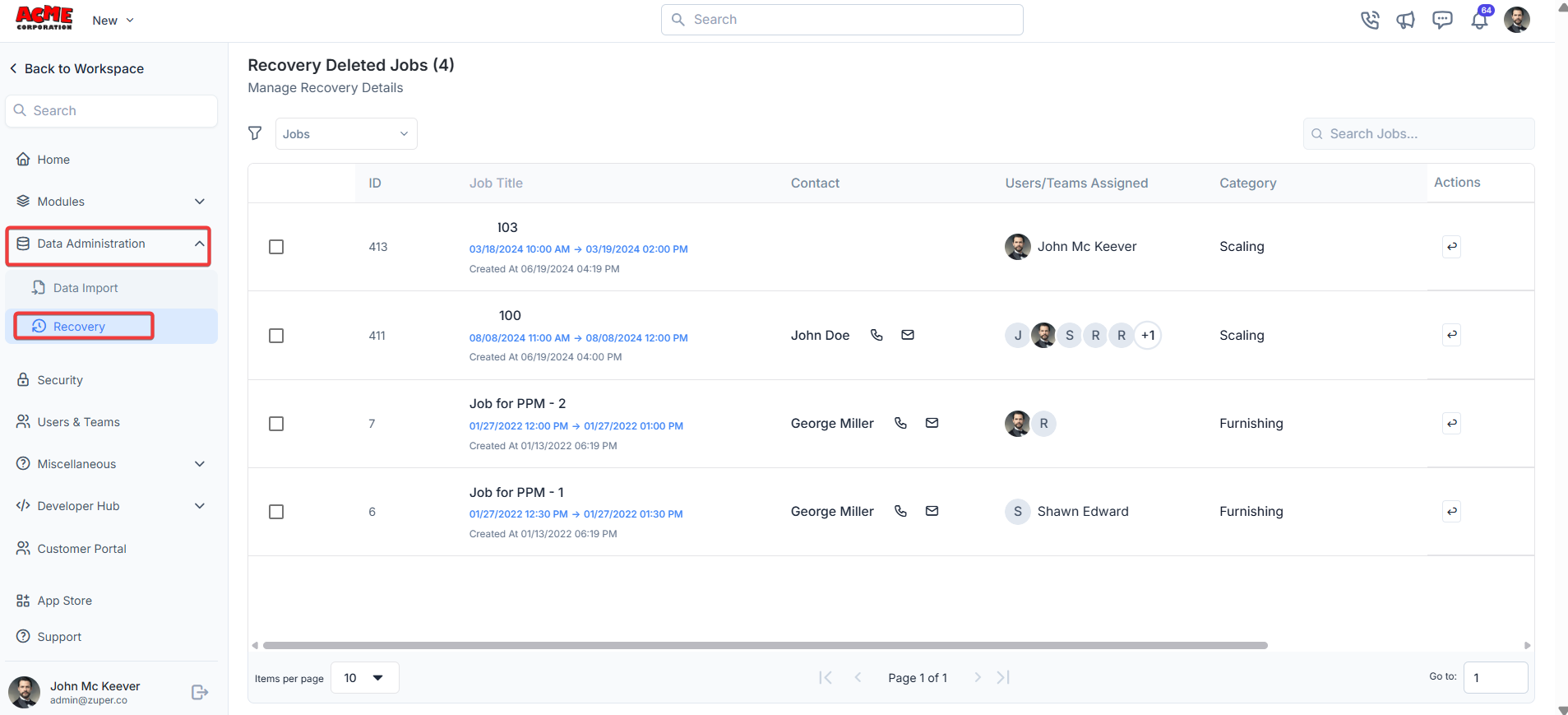
**Navigation**: *Settings -> Data Administration -> Recovery*
1. Select the “**Settings**” module from the left panel. Under the “**Data Administration**,” choose the “**Recovery**.”
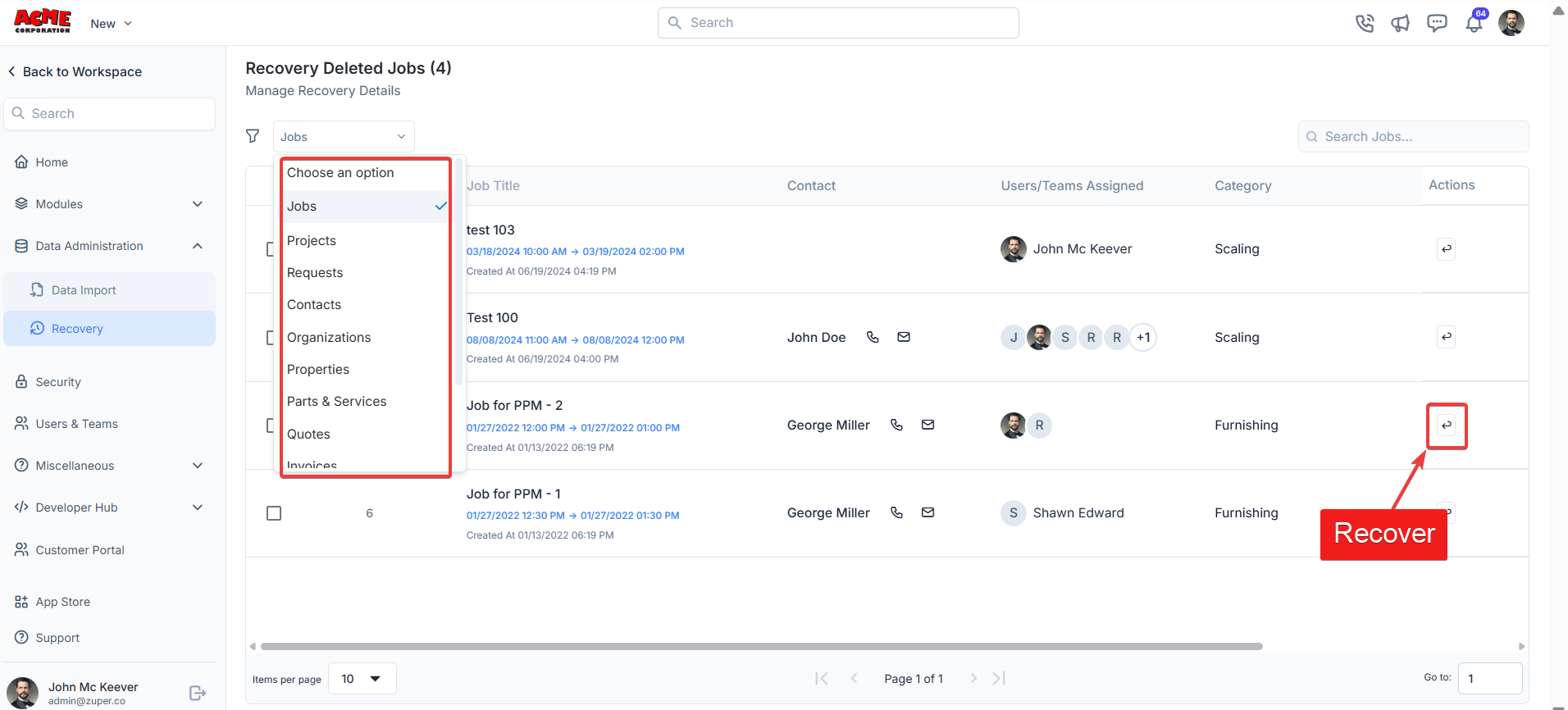
 2. Under the modules filter, select the module. Click the recover icon to restore the line item.
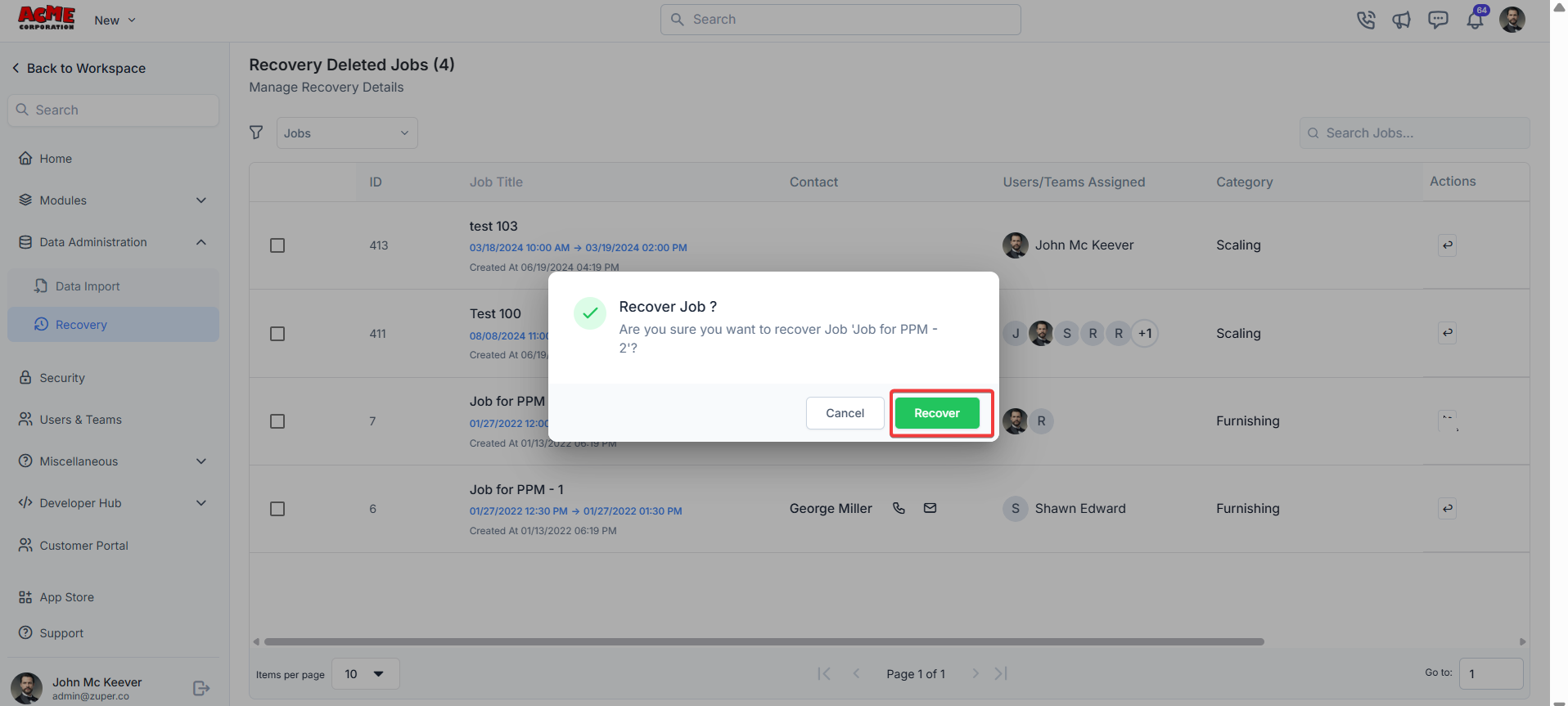
 3. Click the "**Recove**r" button to recover the line item.
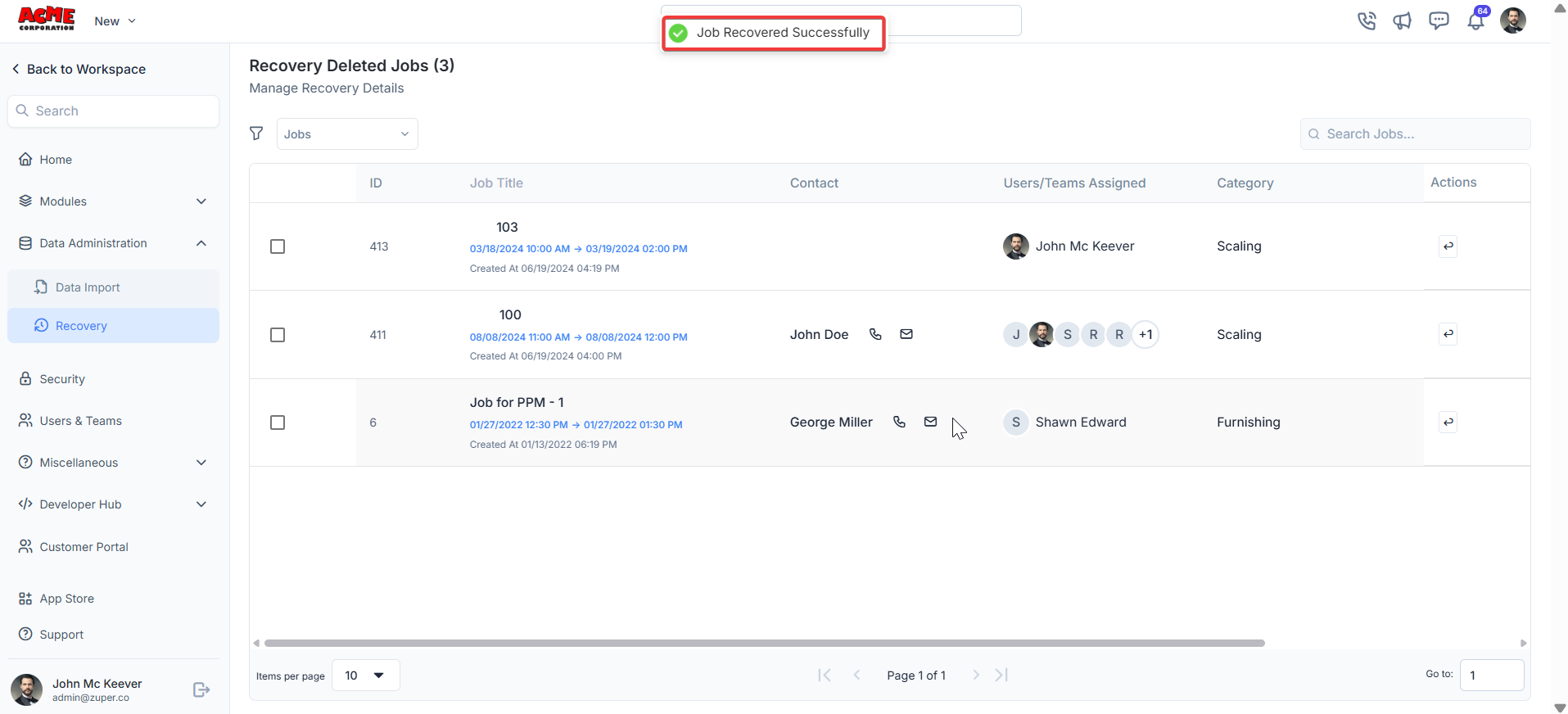
 4. The job is recovered successfully.
 Note: You can recover deleted line items within 90 days. After 90 days, recovery will no longer be possible.
| Module | Supports Recovery |
| --------------------- | ----------------- |
| **Jobs** | ✅ Yes |
| **Projects** | ✅ Yes |
| **Contacts** | ✅ Yes |
| **Organizations** | ✅ Yes |
| **Properties** | ✅ Yes |
| **Parts & Services** | ✅ Yes |
| **Quotes** | ✅ Yes |
| **Invoices** | ✅ Yes |
| **Contracts** | ✅ Yes |
| **Assets** | ✅ Yes |
| **Users** | ✅ Yes |
| **Purchase Orders** | ✅ Yes |
| **Material Requests** | ✅ Yes |
| **Timesheets** | ❌ No |
| **Teams** | ❌ No |
Timesheets and the Teams module's line items are permanently deleted at the module level and are not logged or listed in the Recovery settings.
This feature helps maintain record accuracy and minimizes disruptions to workflow, keeping operations running smoothly.
Note: You can recover deleted line items within 90 days. After 90 days, recovery will no longer be possible.
| Module | Supports Recovery |
| --------------------- | ----------------- |
| **Jobs** | ✅ Yes |
| **Projects** | ✅ Yes |
| **Contacts** | ✅ Yes |
| **Organizations** | ✅ Yes |
| **Properties** | ✅ Yes |
| **Parts & Services** | ✅ Yes |
| **Quotes** | ✅ Yes |
| **Invoices** | ✅ Yes |
| **Contracts** | ✅ Yes |
| **Assets** | ✅ Yes |
| **Users** | ✅ Yes |
| **Purchase Orders** | ✅ Yes |
| **Material Requests** | ✅ Yes |
| **Timesheets** | ❌ No |
| **Teams** | ❌ No |
Timesheets and the Teams module's line items are permanently deleted at the module level and are not logged or listed in the Recovery settings.
This feature helps maintain record accuracy and minimizes disruptions to workflow, keeping operations running smoothly.