> ## Documentation Index
> Fetch the complete documentation index at: https://docs.zuper.co/llms.txt
> Use this file to discover all available pages before exploring further.
# Broadcast
The broadcast message option allows you to send a set of messages to a group of people with a single click. This option is used whenever a specific team or group of members needs to be notified about a message.
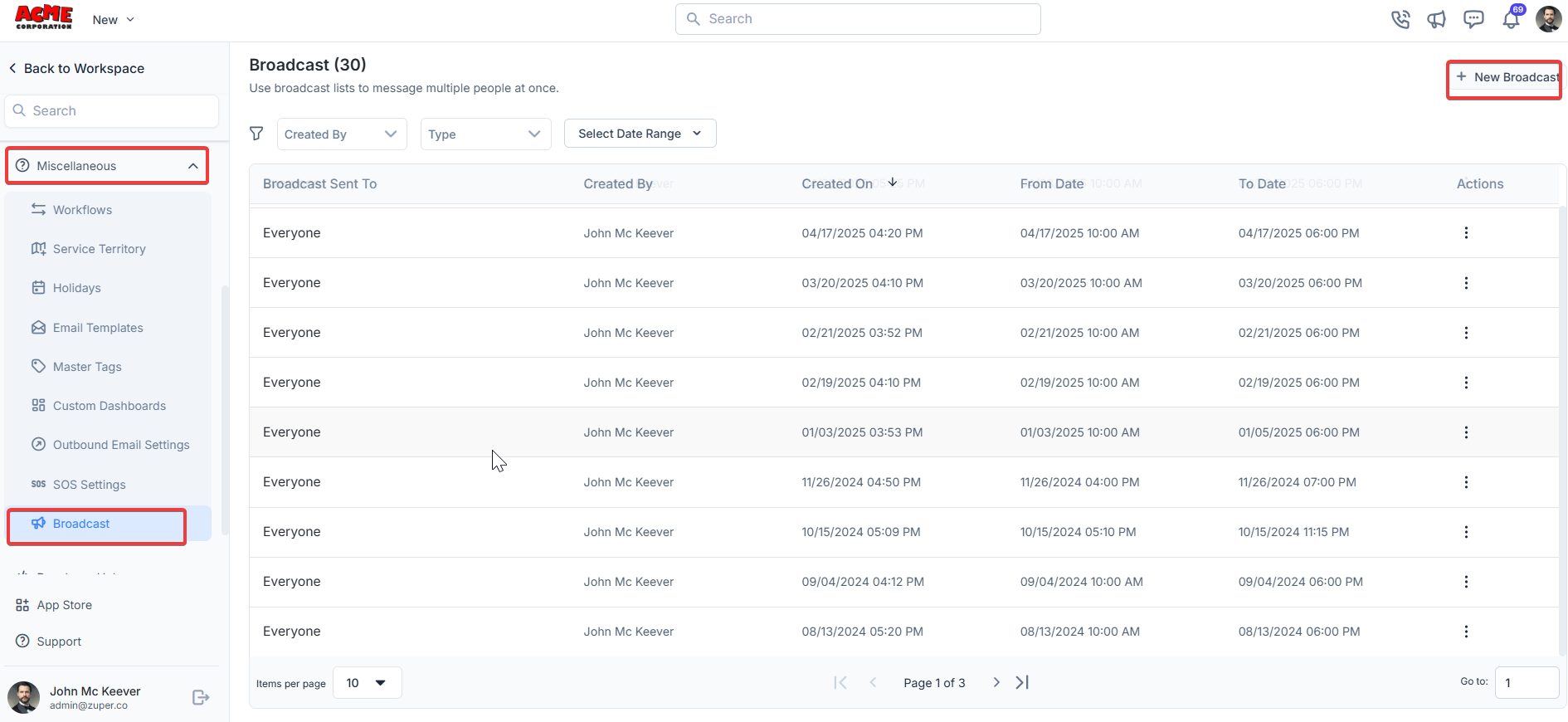
**Navigation**: *Settings -> Miscellaneous -> Broadcast*
## Broadcast creation
1. From the settings, select “**Miscellaneous**." Under the "**Broadcast**" section, choose “**+ New Broadcast."**
 2. Enter the following details.
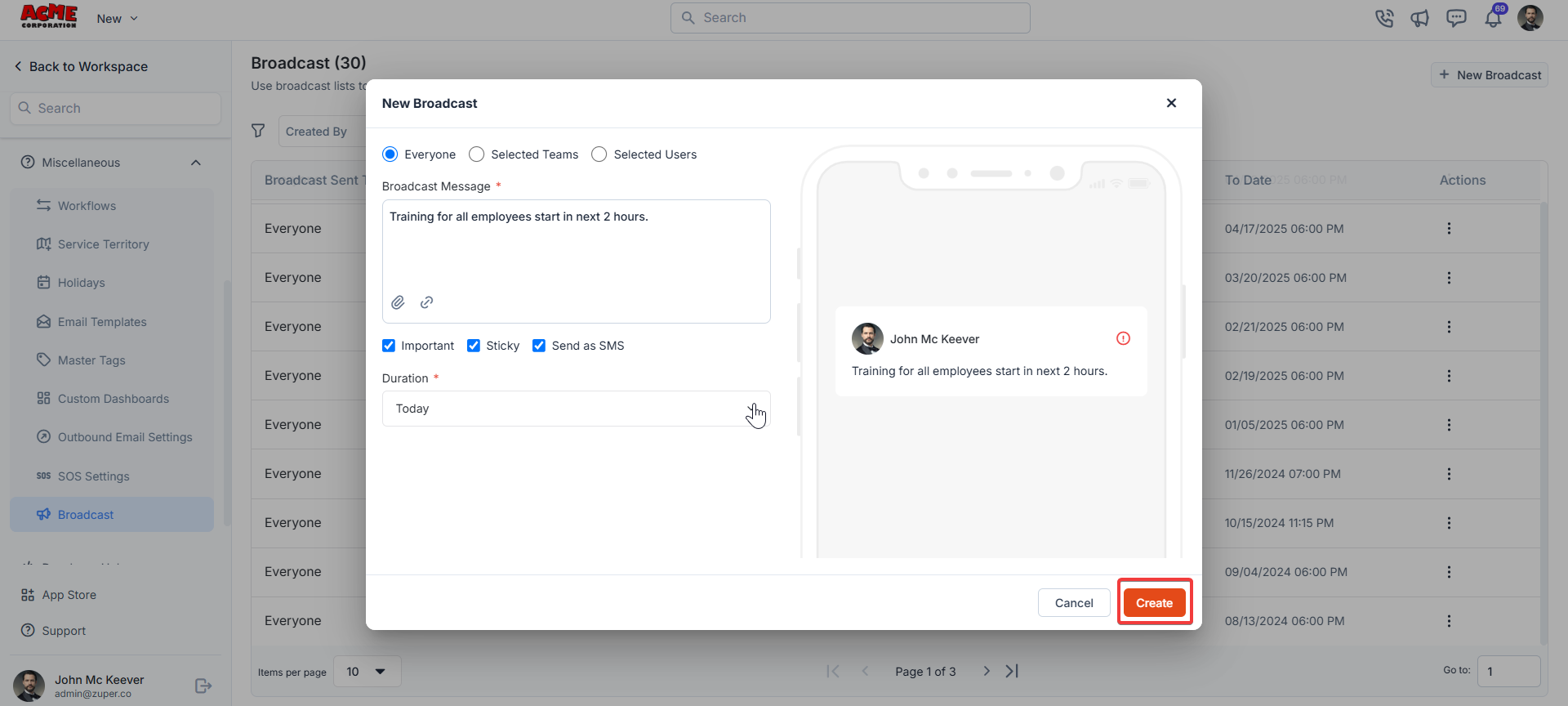
A **New Broadcast** dialog box will appear with the following options:
* **Recipient Options**: Choose who will receive the broadcast:
* **Everyone**: Sends the message to all users.
* **Selected Teams**: Sends the message to specific teams.
* **Selected Users**: Sends the message to specific individuals.
* **Broadcast Message**: Enter the message you want to send (e.g., "Training for all employees starts in the next 2 hours").
* **Additional Options**:
* Checkmark **Important** to mark the broadcast as a priority.
* Checkmark **Sticky** to keep the message visible until dismissed.
* Checkmark **Send as SMS** to deliver the message via SMS.
* **Duration**: Select how long the broadcast will be active.
Once you have filled in the details, click the **Create** button to send the broadcast.
2. Enter the following details.
A **New Broadcast** dialog box will appear with the following options:
* **Recipient Options**: Choose who will receive the broadcast:
* **Everyone**: Sends the message to all users.
* **Selected Teams**: Sends the message to specific teams.
* **Selected Users**: Sends the message to specific individuals.
* **Broadcast Message**: Enter the message you want to send (e.g., "Training for all employees starts in the next 2 hours").
* **Additional Options**:
* Checkmark **Important** to mark the broadcast as a priority.
* Checkmark **Sticky** to keep the message visible until dismissed.
* Checkmark **Send as SMS** to deliver the message via SMS.
* **Duration**: Select how long the broadcast will be active.
Once you have filled in the details, click the **Create** button to send the broadcast.
 ## Best Practices
* Use clear and concise messages to ensure recipients understand the broadcast.
* Reserve **Important** and **Sticky** options for critical announcements.
* If using **Send as SMS**, ensure the message is appropriate for SMS delivery.
## Best Practices
* Use clear and concise messages to ensure recipients understand the broadcast.
* Reserve **Important** and **Sticky** options for critical announcements.
* If using **Send as SMS**, ensure the message is appropriate for SMS delivery.