> ## Documentation Index
> Fetch the complete documentation index at: https://docs.zuper.co/llms.txt
> Use this file to discover all available pages before exploring further.
# Managing your users
This step-by-step guide helps you effortlessly create a new user in Zuper. Whether you're adding team members or assigning roles, this process ensures smooth onboarding. Follow the instructions below to set up a user account quickly and efficiently.
**Navigation**: *Settings -> Users and Teams -> User Management -> + New User*
Steps to create a user directly from the "**Users**" Tab
* Select the "**Settings**" icon from the left navigation menu. Under "**User Management**," click the "**+ Create New User**" button at the top right corner of the page.
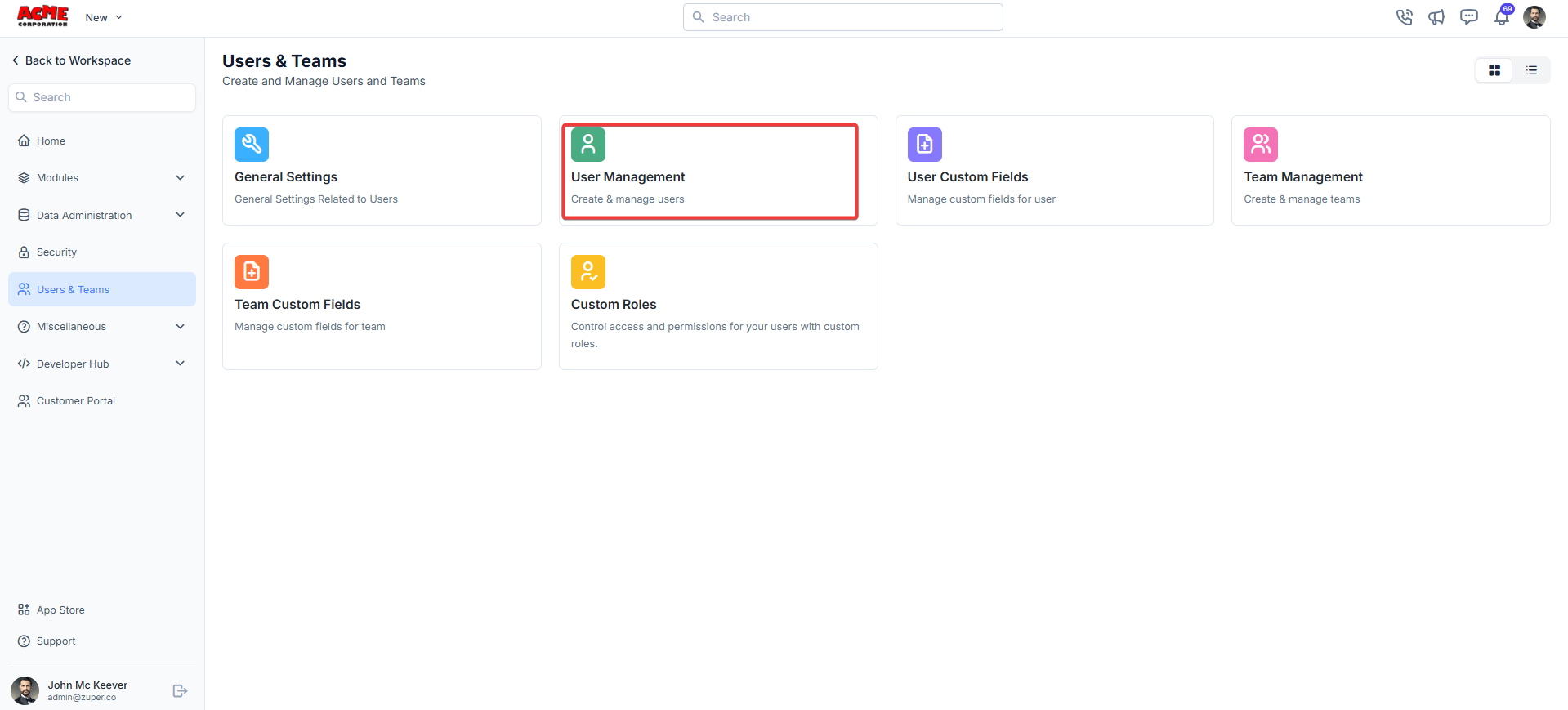
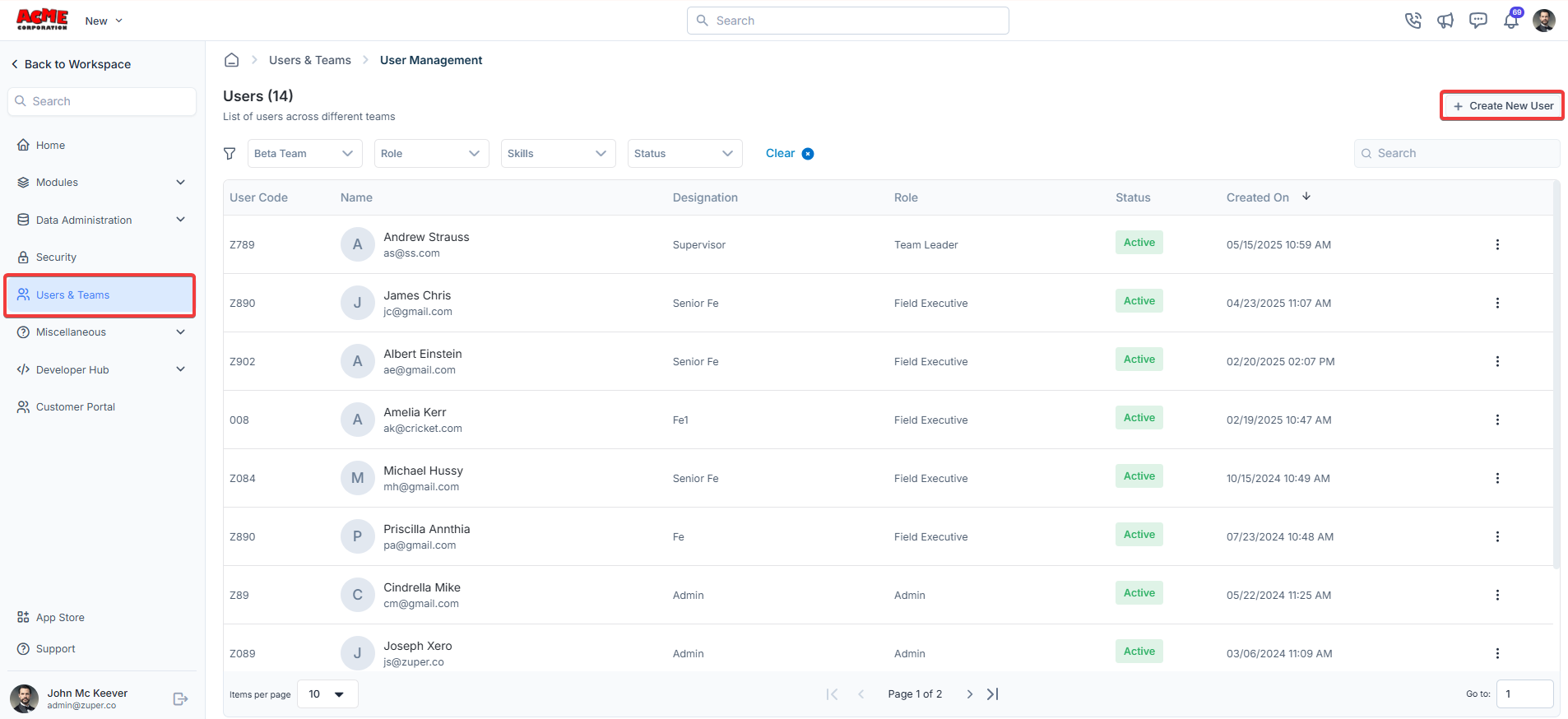 Fill in the details in the user form as follows.
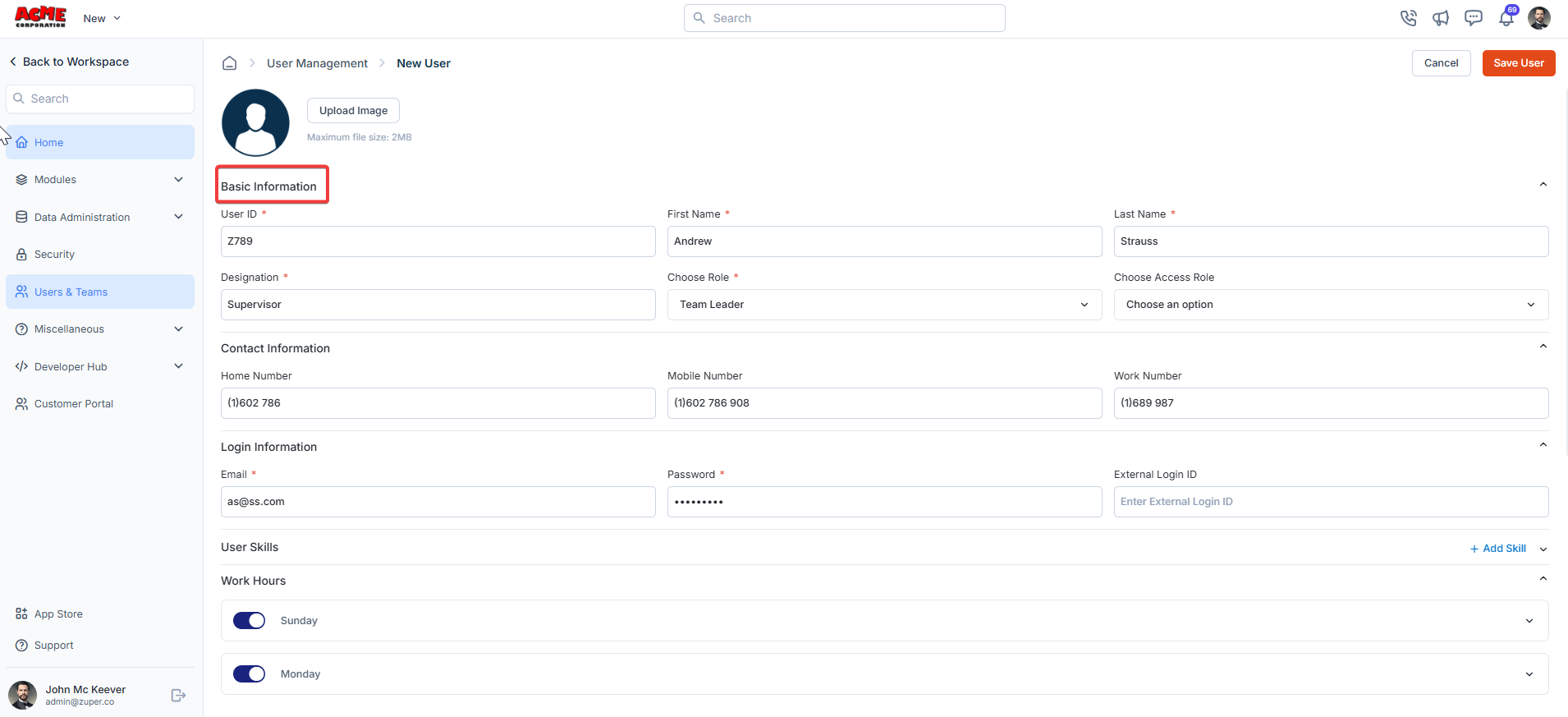
* Upload Image: Upload the user image in a size of 2 MB.
## Basic information
* User ID (**Mandatory**): A unique code that can include both letters and numbers to identify the User.
* First Name (**Mandatory**): The user's First Name.
* Last Name (**Mandatory**): The user's Last Name.
* Designation (**Mandatory**): The user's designation as per the policy.
## Roles and permissions
* Choose Role (**Mandatory**): The user's role as per the policy (Admin, Team Leader, Field Executive).
Note: Custom roles can also be created per your requirements.
| Module | Admin | TL (Team Lead) | FE (Field Executive) |
| :-------------------- | :------------------ | :-------------------------------------------------------------------------------------------------------------------------------------------------------------------------------------------------------------------------------------------------------------------------------------------------------------------------------------------------------------------------------------------------------------------------------------------------- | :------------------------------------------------------------------------------------------------------------------------------------------------------------------------------------------------------------------------------------------------------------------------------------------------------------------------------------------------------------------------------------------------------------------------------------ |
| **Projects** | Access all records. | View records created by them or their team members. Use [Custom Roles ](https://docs.zuper.co/Settings/Users_Teams/General#custom-roles)to set the permissions. | View only records created by them. Use [Custom Roles ](https://docs.zuper.co/Settings/Users_Teams/General#custom-roles)to set the permissions. |
| **Jobs** | Access all records. | View records created by them or their team members. Learn how to set standard permissions for Jobs [here](https://docs.zuper.co/Settings/Modules/Jobs/Configuring_General_Job_settings#access/permission-options). | View only records created by them. Learn how to set standard permissions for Jobs [here](https://docs.zuper.co/Settings/Modules/Jobs/Configuring_General_Job_settings#access/permission-options). |
| **Requests** | Access all records. | View records created by them or their team members. Use [Custom Roles ](https://docs.zuper.co/Settings/Users_Teams/General#custom-roles)to set the permissions. | View only records created by them. Use [Custom Roles ](https://docs.zuper.co/Settings/Users_Teams/General#custom-roles)to set the permissions. |
| **Property** | Access all records. | View records created by them or their team members. Learn how to set standard permissions for Properties [here](https://docs.zuper.co/Settings/Modules/Properties/Properties_Settings#properties-general-settings). | View only records created by them. Learn how to set standard permissions for Properties [here](https://docs.zuper.co/Settings/Modules/Properties/Properties_Settings#properties-general-settings). |
| **Quotes / Invoices** | Access all records. | View records created by them or their team members. Additionally, if you have access to a job, you can view associated quotes/invoices. Learn how to set standard permissions for Quotes [here](https://docs.zuper.co/Settings/Modules/Quotes-Invoices/Quotes-Invoices-Settings#quote-tab). Learn how to set standard permissions for Invoices [here](https://docs.zuper.co/Settings/Modules/Quotes-Invoices/Quotes-Invoices-Settings#invoice-tab). | View only records created by them. Additionally, if\_you have access to the job, you can view associated quotes/invoices. Learn how to set standard permissions for Quotes [here](https://docs.zuper.co/Settings/Modules/Quotes-Invoices/Quotes-Invoices-Settings#quote-tab). Learn how to set standard permissions for Invoices [here](https://docs.zuper.co/Settings/Modules/Quotes-Invoices/Quotes-Invoices-Settings#invoice-tab). |
| **Contracts** | Access all records. | View contracts created by them or team members, or awaiting approval by them or team members. Learn how to set standard permissions from [here](https://docs.zuper.co/Settings/Modules/Contracts/contracts-settings#general-contract-settings). | View only contracts created by them. Learn how to set standard permissions from [here](https://docs.zuper.co/Settings/Modules/Contracts/contracts-settings#general-contract-settings). |
| **Assets** | Access all records. | View records created by them or their team members. Learn how to set standard permissions from [here](https://docs.zuper.co/Settings/Modules/Assets/Assets-Settings#general-asset-settings). | View only records created by them. Learn how to set standard permissions from [here](https://docs.zuper.co/Settings/Modules/Assets/Assets-Settings#general-asset-settings). |
| **Customers** | Access all records. | View customers created by them or team members, or where they/team members are set as account managers. Learn how to set standard permissions from [here](https://docs.zuper.co/Settings/Modules/Customers-Contacts/Customers-Contacts-Settings#access-/-permissions). | View customers created by them, or where they are set as account managers. Learn how to set standard permissions from [here](https://docs.zuper.co/Settings/Modules/Customers-Contacts/Customers-Contacts-Settings#access-/-permissions). |
| **Organizations** | Access all records | View customers created by them or their team members. Learn how to set standard permissions from [here](https://docs.zuper.co/Settings/Modules/Organization_Settings/Organization_Settings#organization-general-settings). | View only customers created by them. Learn how to set standard permissions from[ here](https://docs.zuper.co/Settings/Modules/Organization_Settings/Organization_Settings#organization-general-settings). |
* Choose Access Role (Custom Role) (*Optional*): The User's access role signifies the level of access in the "**Zuper**" console.
Note: Custom Roles can also be created as per your requirements.
To know more about Custom Roles, click [here](https://docs.zuper.co/Settings/Users_Teams/General#custom-roles)
## Product location
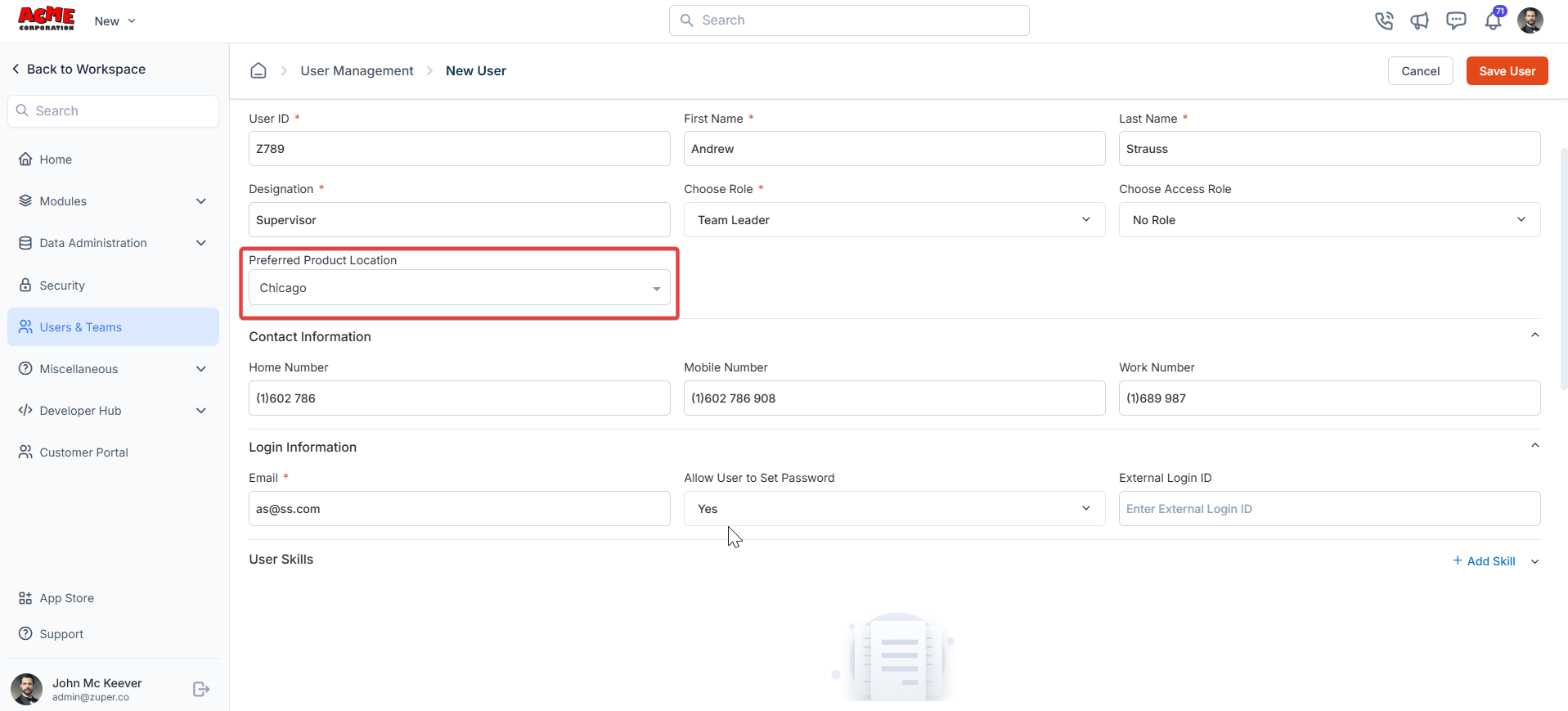
* Preferred Product Location: This enhancement enables a user to be assigned a default product location, ensuring that it automatically populates as the default location from which parts are consumed. A primary method is to define fixed, high-priority picking locations for fast-moving parts or products to the site.
Fill in the details in the user form as follows.
* Upload Image: Upload the user image in a size of 2 MB.
## Basic information
* User ID (**Mandatory**): A unique code that can include both letters and numbers to identify the User.
* First Name (**Mandatory**): The user's First Name.
* Last Name (**Mandatory**): The user's Last Name.
* Designation (**Mandatory**): The user's designation as per the policy.
## Roles and permissions
* Choose Role (**Mandatory**): The user's role as per the policy (Admin, Team Leader, Field Executive).
Note: Custom roles can also be created per your requirements.
| Module | Admin | TL (Team Lead) | FE (Field Executive) |
| :-------------------- | :------------------ | :-------------------------------------------------------------------------------------------------------------------------------------------------------------------------------------------------------------------------------------------------------------------------------------------------------------------------------------------------------------------------------------------------------------------------------------------------- | :------------------------------------------------------------------------------------------------------------------------------------------------------------------------------------------------------------------------------------------------------------------------------------------------------------------------------------------------------------------------------------------------------------------------------------ |
| **Projects** | Access all records. | View records created by them or their team members. Use [Custom Roles ](https://docs.zuper.co/Settings/Users_Teams/General#custom-roles)to set the permissions. | View only records created by them. Use [Custom Roles ](https://docs.zuper.co/Settings/Users_Teams/General#custom-roles)to set the permissions. |
| **Jobs** | Access all records. | View records created by them or their team members. Learn how to set standard permissions for Jobs [here](https://docs.zuper.co/Settings/Modules/Jobs/Configuring_General_Job_settings#access/permission-options). | View only records created by them. Learn how to set standard permissions for Jobs [here](https://docs.zuper.co/Settings/Modules/Jobs/Configuring_General_Job_settings#access/permission-options). |
| **Requests** | Access all records. | View records created by them or their team members. Use [Custom Roles ](https://docs.zuper.co/Settings/Users_Teams/General#custom-roles)to set the permissions. | View only records created by them. Use [Custom Roles ](https://docs.zuper.co/Settings/Users_Teams/General#custom-roles)to set the permissions. |
| **Property** | Access all records. | View records created by them or their team members. Learn how to set standard permissions for Properties [here](https://docs.zuper.co/Settings/Modules/Properties/Properties_Settings#properties-general-settings). | View only records created by them. Learn how to set standard permissions for Properties [here](https://docs.zuper.co/Settings/Modules/Properties/Properties_Settings#properties-general-settings). |
| **Quotes / Invoices** | Access all records. | View records created by them or their team members. Additionally, if you have access to a job, you can view associated quotes/invoices. Learn how to set standard permissions for Quotes [here](https://docs.zuper.co/Settings/Modules/Quotes-Invoices/Quotes-Invoices-Settings#quote-tab). Learn how to set standard permissions for Invoices [here](https://docs.zuper.co/Settings/Modules/Quotes-Invoices/Quotes-Invoices-Settings#invoice-tab). | View only records created by them. Additionally, if\_you have access to the job, you can view associated quotes/invoices. Learn how to set standard permissions for Quotes [here](https://docs.zuper.co/Settings/Modules/Quotes-Invoices/Quotes-Invoices-Settings#quote-tab). Learn how to set standard permissions for Invoices [here](https://docs.zuper.co/Settings/Modules/Quotes-Invoices/Quotes-Invoices-Settings#invoice-tab). |
| **Contracts** | Access all records. | View contracts created by them or team members, or awaiting approval by them or team members. Learn how to set standard permissions from [here](https://docs.zuper.co/Settings/Modules/Contracts/contracts-settings#general-contract-settings). | View only contracts created by them. Learn how to set standard permissions from [here](https://docs.zuper.co/Settings/Modules/Contracts/contracts-settings#general-contract-settings). |
| **Assets** | Access all records. | View records created by them or their team members. Learn how to set standard permissions from [here](https://docs.zuper.co/Settings/Modules/Assets/Assets-Settings#general-asset-settings). | View only records created by them. Learn how to set standard permissions from [here](https://docs.zuper.co/Settings/Modules/Assets/Assets-Settings#general-asset-settings). |
| **Customers** | Access all records. | View customers created by them or team members, or where they/team members are set as account managers. Learn how to set standard permissions from [here](https://docs.zuper.co/Settings/Modules/Customers-Contacts/Customers-Contacts-Settings#access-/-permissions). | View customers created by them, or where they are set as account managers. Learn how to set standard permissions from [here](https://docs.zuper.co/Settings/Modules/Customers-Contacts/Customers-Contacts-Settings#access-/-permissions). |
| **Organizations** | Access all records | View customers created by them or their team members. Learn how to set standard permissions from [here](https://docs.zuper.co/Settings/Modules/Organization_Settings/Organization_Settings#organization-general-settings). | View only customers created by them. Learn how to set standard permissions from[ here](https://docs.zuper.co/Settings/Modules/Organization_Settings/Organization_Settings#organization-general-settings). |
* Choose Access Role (Custom Role) (*Optional*): The User's access role signifies the level of access in the "**Zuper**" console.
Note: Custom Roles can also be created as per your requirements.
To know more about Custom Roles, click [here](https://docs.zuper.co/Settings/Users_Teams/General#custom-roles)
## Product location
* Preferred Product Location: This enhancement enables a user to be assigned a default product location, ensuring that it automatically populates as the default location from which parts are consumed. A primary method is to define fixed, high-priority picking locations for fast-moving parts or products to the site.
 ## Contact information
* Home Number: The user's home number.
* Mobile Number: The user's mobile number.
* Work Number: The user's official contact number.
## Base Location
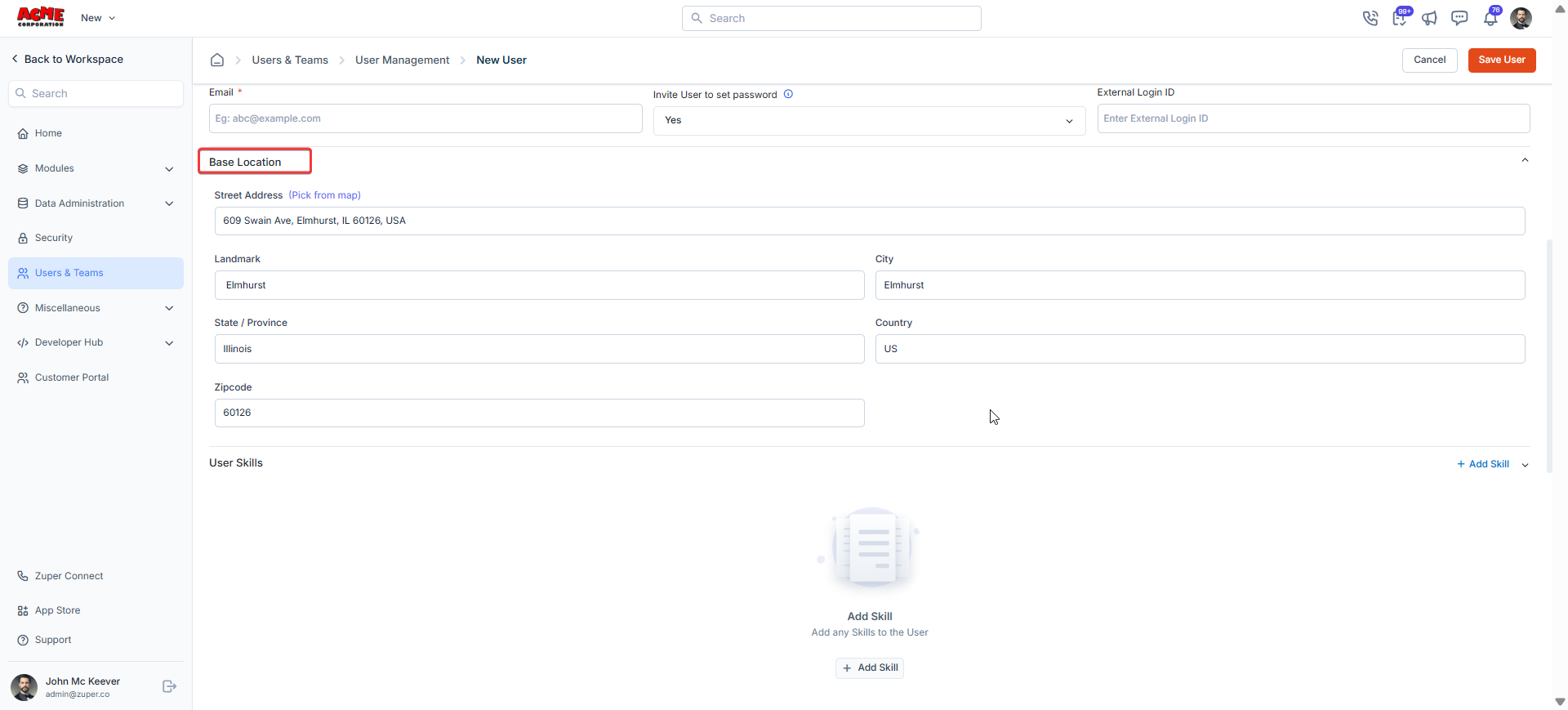
Define user’s **Base Location.** It represents their primary start or end point for the workday, such as a home address, office, or depot.
## Contact information
* Home Number: The user's home number.
* Mobile Number: The user's mobile number.
* Work Number: The user's official contact number.
## Base Location
Define user’s **Base Location.** It represents their primary start or end point for the workday, such as a home address, office, or depot.
 ## Login information
* Email (**Mandatory**): The user's email address.
* Password (**Mandatory**): The password that would be used to access the Zuper account.
* External Login ID: The external login ID for the user to log in.
* Allow user to set the password: Choose "**Yes**" to allow the user to set the password as "**No**"
**Admins now have more flexibility when creating users:**
**Option 1**: **Allow User to Set Password = Yes**
Password fields will be hidden on the user creation/edit page.
The invite email will include a temporary set password link valid for 24 hours.
Users will be directed to a password setup page upon clicking the link.
If the link expires, users can follow the "Forgot Password" flow, as explained in the email.
**Option 2**: **Allow User to Set Password = No**
The current process continues, and the admin sets the password during user creation.
Users will need to obtain their login password directly from the admin.
## Login information
* Email (**Mandatory**): The user's email address.
* Password (**Mandatory**): The password that would be used to access the Zuper account.
* External Login ID: The external login ID for the user to log in.
* Allow user to set the password: Choose "**Yes**" to allow the user to set the password as "**No**"
**Admins now have more flexibility when creating users:**
**Option 1**: **Allow User to Set Password = Yes**
Password fields will be hidden on the user creation/edit page.
The invite email will include a temporary set password link valid for 24 hours.
Users will be directed to a password setup page upon clicking the link.
If the link expires, users can follow the "Forgot Password" flow, as explained in the email.
**Option 2**: **Allow User to Set Password = No**
The current process continues, and the admin sets the password during user creation.
Users will need to obtain their login password directly from the admin.
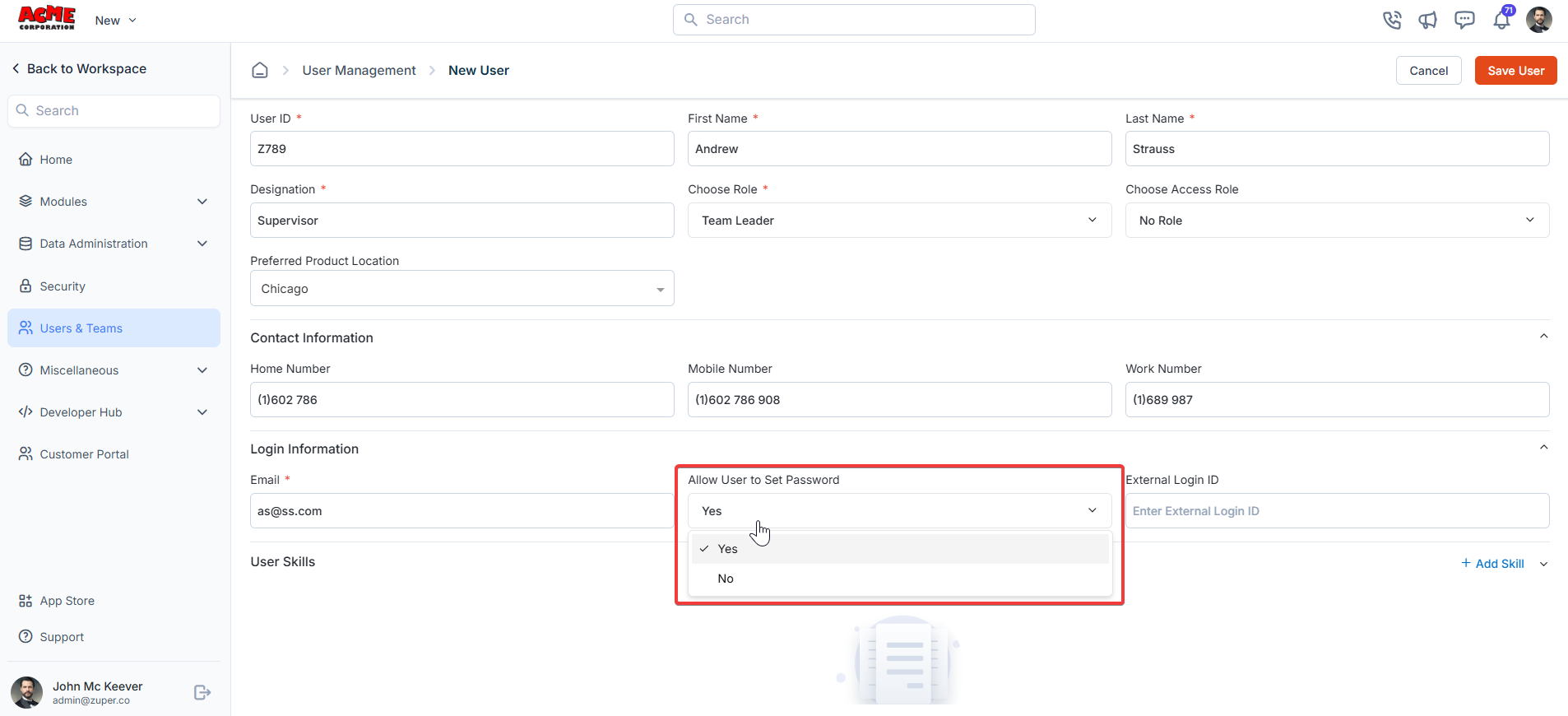 Note: The user's external login ID should be unique. Other users should not use the same external Login ID. Once you create an external login ID, it will appear on the "**Users**" details page.
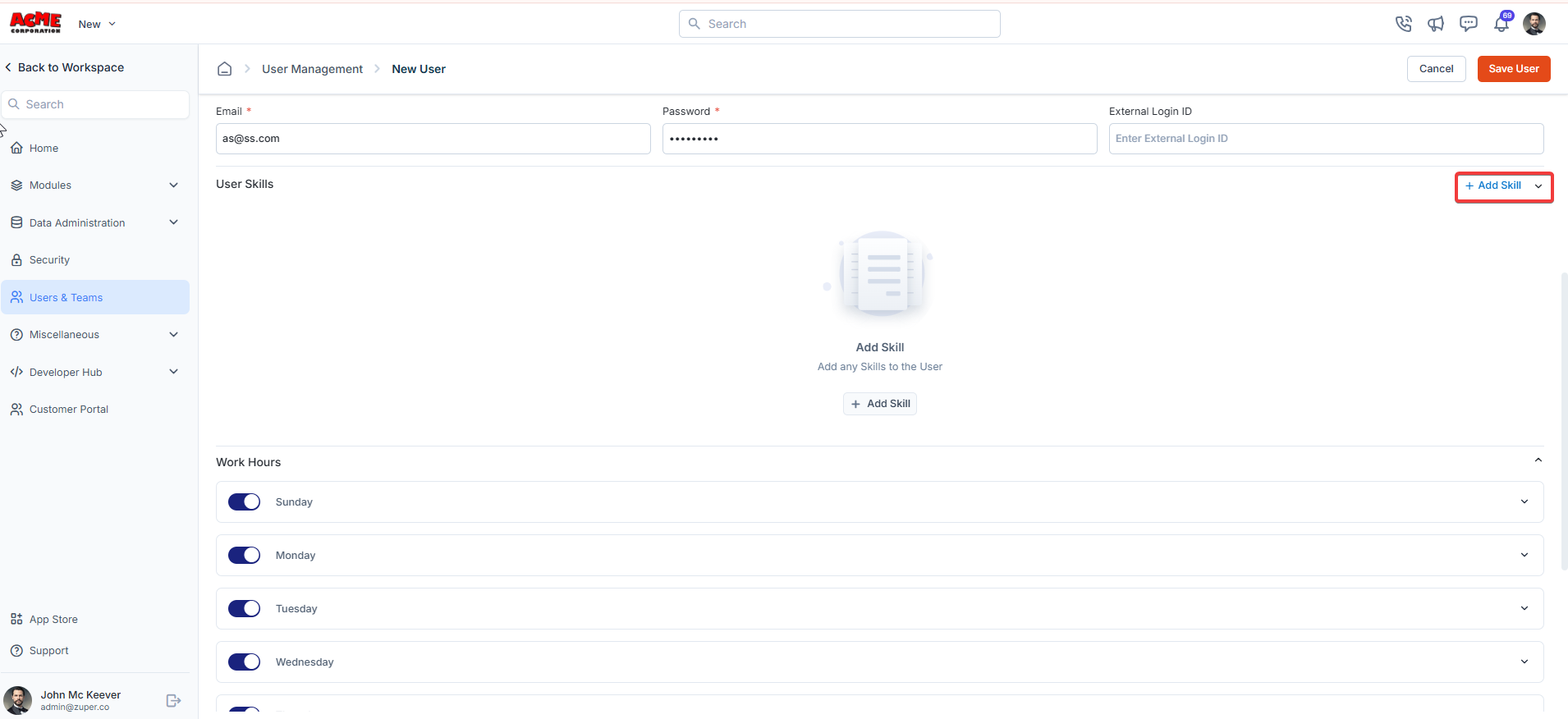
 ## User skills
* Click "**+ Add Skill**" to add new skills.
## User skills
* Click "**+ Add Skill**" to add new skills.
 * Select Skill: Choose the skillset from the drop-down list.
* Skillset Level: Enter the user's skill set.
* Valid From: The start date of the skill validity.
* Valid To: The end date of the skill validity.
* Select Skill: Choose the skillset from the drop-down list.
* Skillset Level: Enter the user's skill set.
* Valid From: The start date of the skill validity.
* Valid To: The end date of the skill validity.
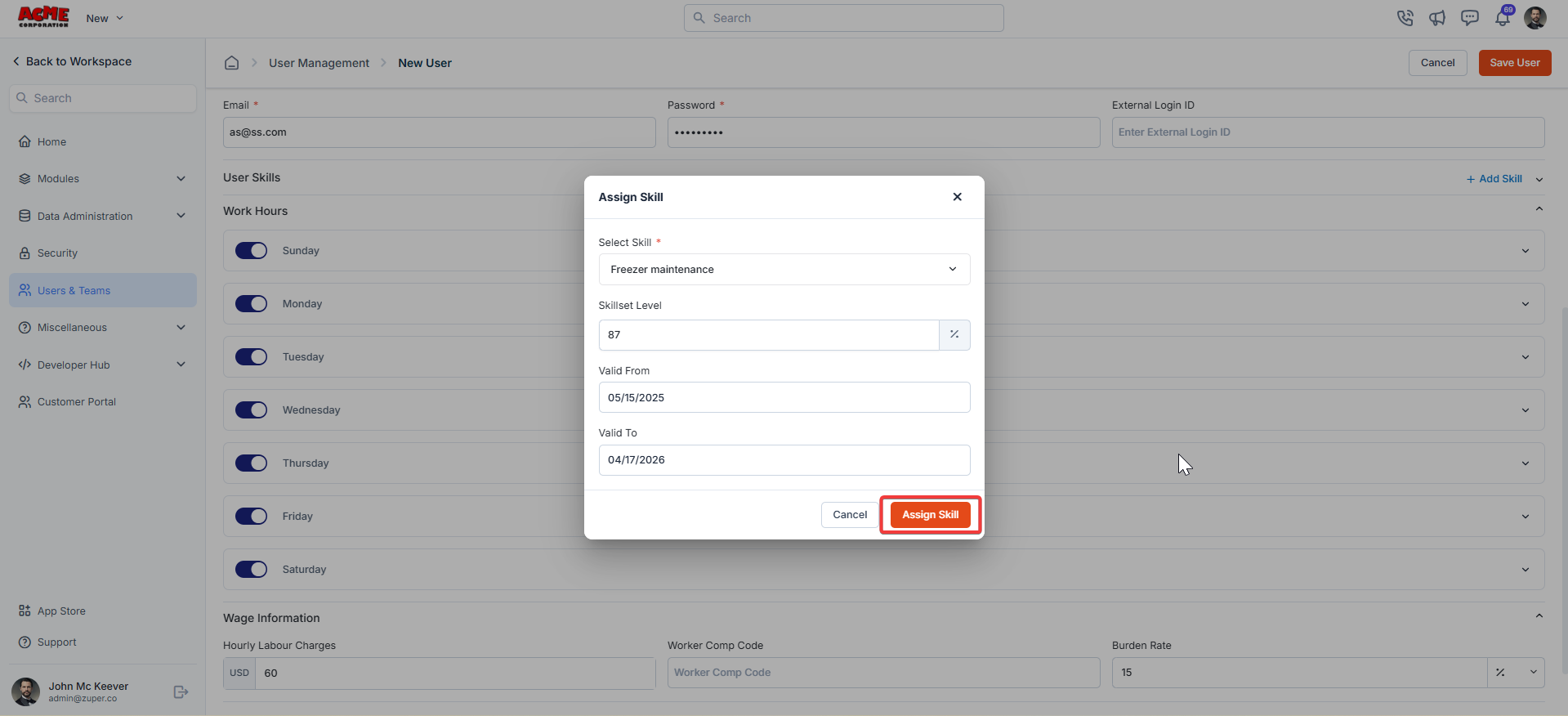 Click the "**Assign Skill**" to assign the skills to the user.
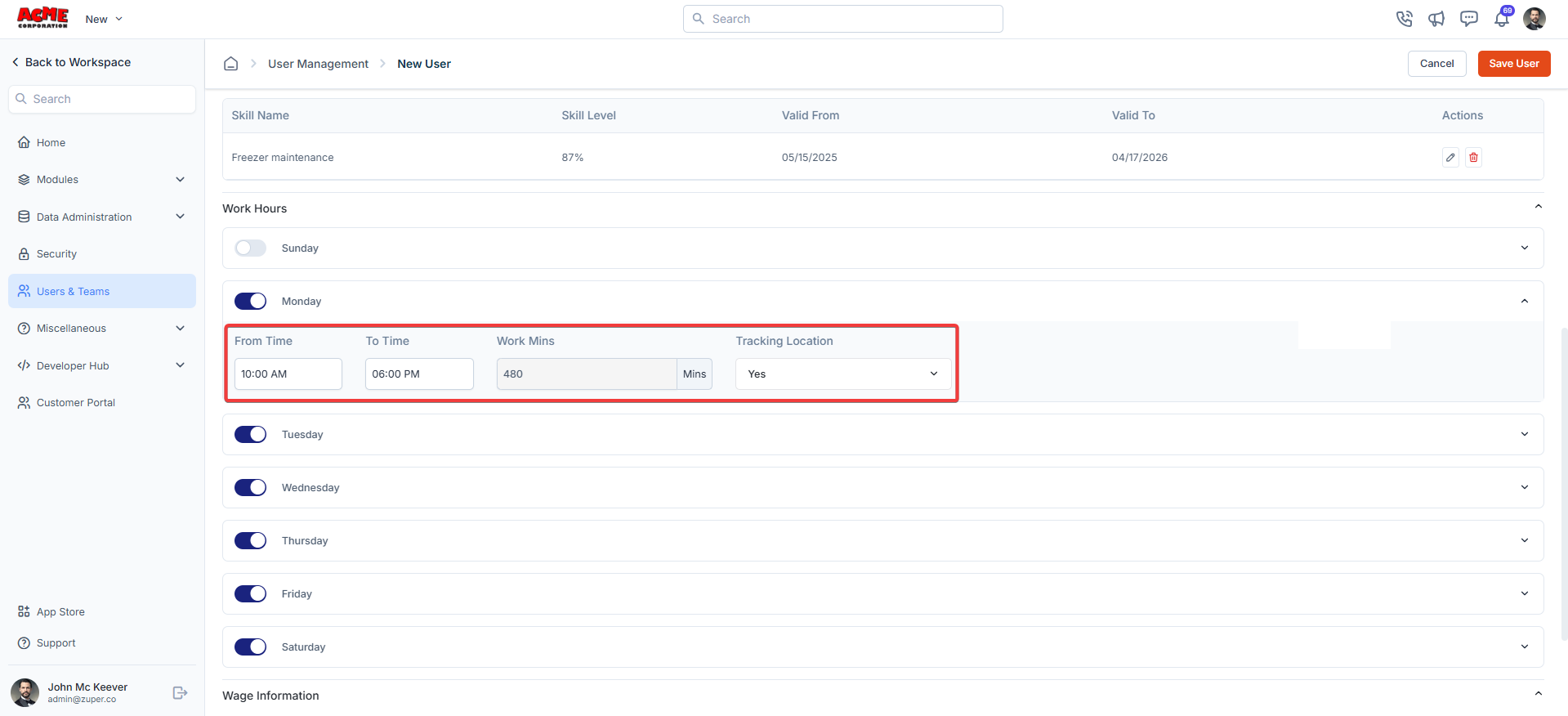
## Work hours
* Work Hours: The user's work days of the week.
* From Time: The start of the working day.
* To Time: The end of the working day.
* Work Mins: The total work minutes of the week.
* Tracking Location? Choose "**Yes**" to track the user's location and "**No**" to deny tracking the location.
Click the "**Assign Skill**" to assign the skills to the user.
## Work hours
* Work Hours: The user's work days of the week.
* From Time: The start of the working day.
* To Time: The end of the working day.
* Work Mins: The total work minutes of the week.
* Tracking Location? Choose "**Yes**" to track the user's location and "**No**" to deny tracking the location.
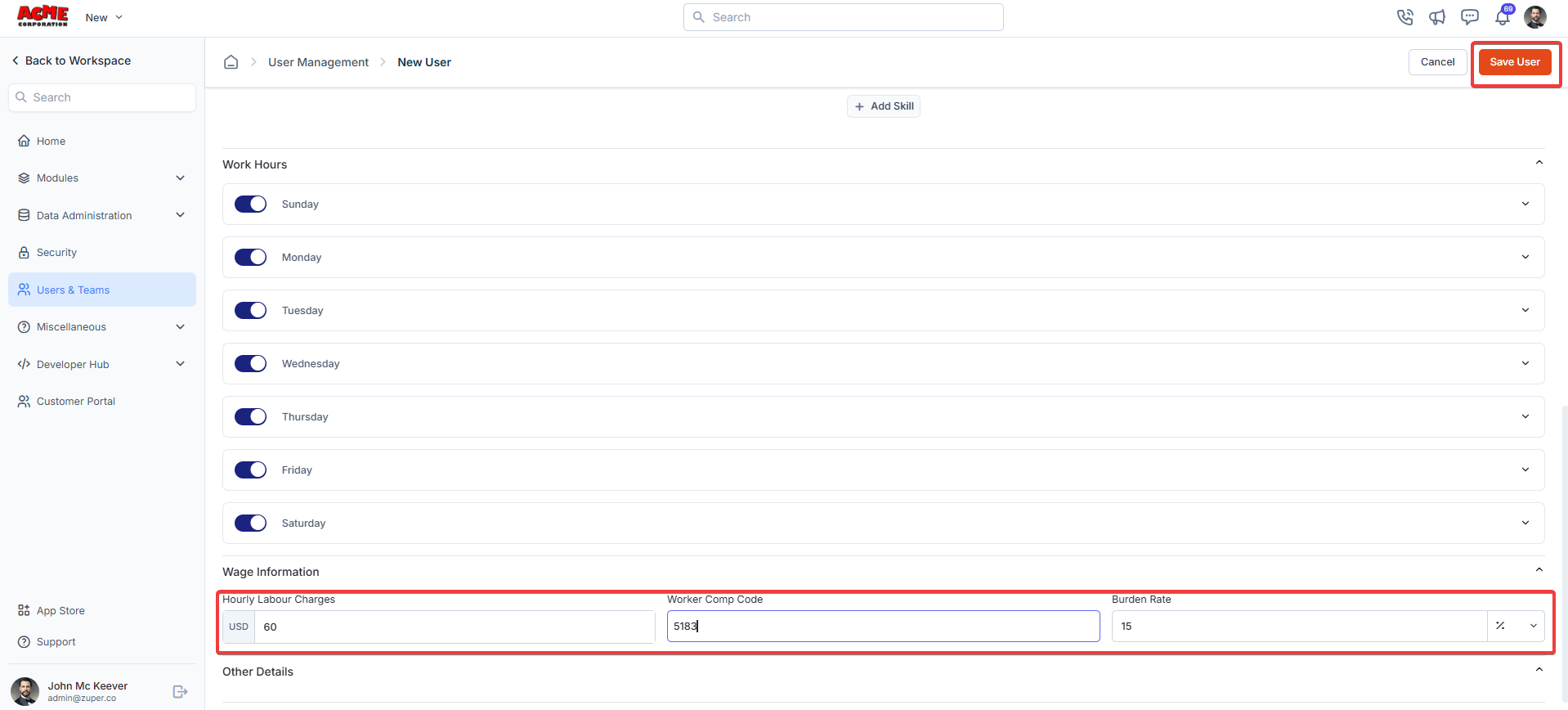
 ## Work information
* Hourly Labour Changes: Enter the user's working wage rate per hour.
* Worker Comp Code: Enter the appropriate code for each field technician based on their role.
* Burden Rate: Enter the additional costs involved.
## Work information
* Hourly Labour Changes: Enter the user's working wage rate per hour.
* Worker Comp Code: Enter the appropriate code for each field technician based on their role.
* Burden Rate: Enter the additional costs involved.
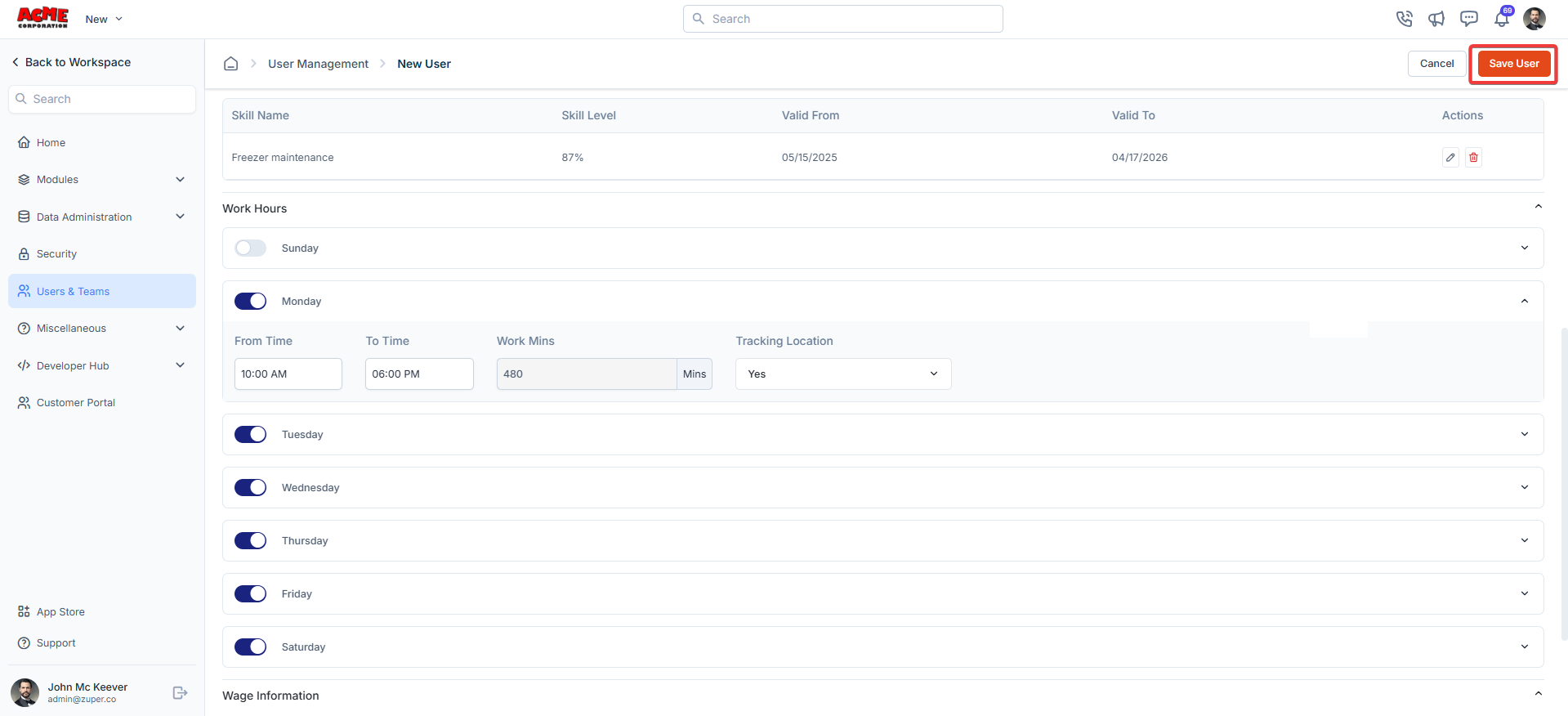 Click "**Save User**" to save the new user.
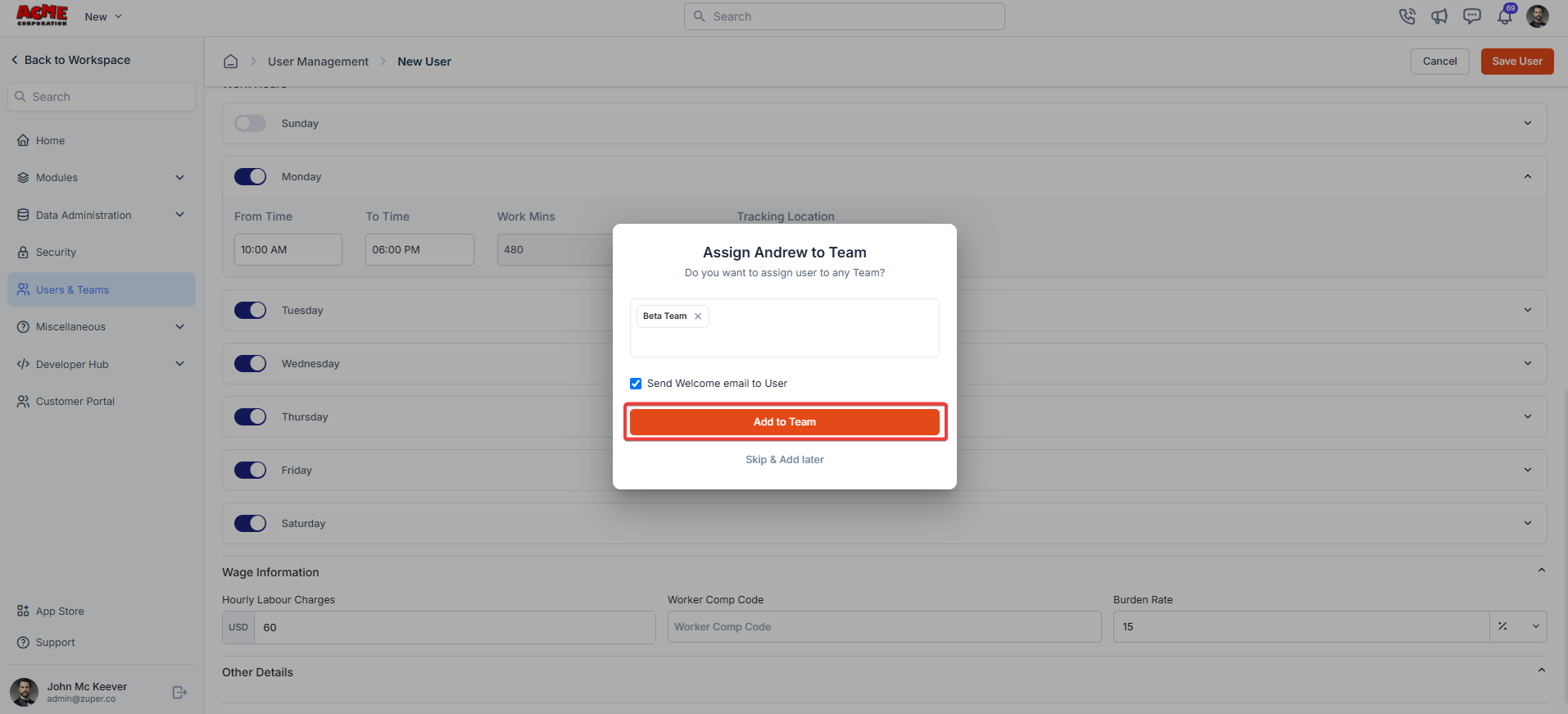
A dialog box will appear to add the user to a team. Choose the team and add the user.
Click "**Save User**" to save the new user.
A dialog box will appear to add the user to a team. Choose the team and add the user.
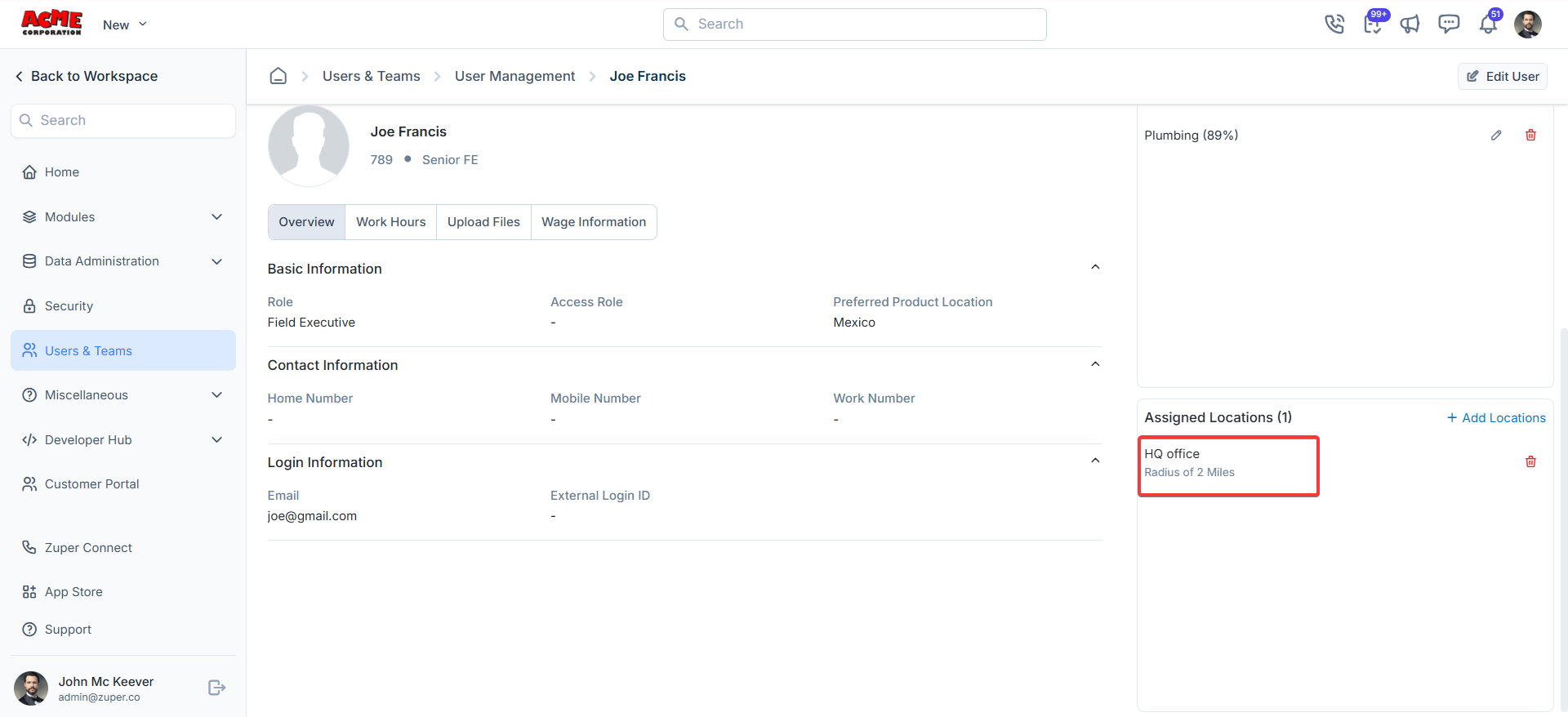
 ## Assigned locations
After saving the user, a right panel will display "**Assigned Locations**."
## Assigned locations
After saving the user, a right panel will display "**Assigned Locations**."
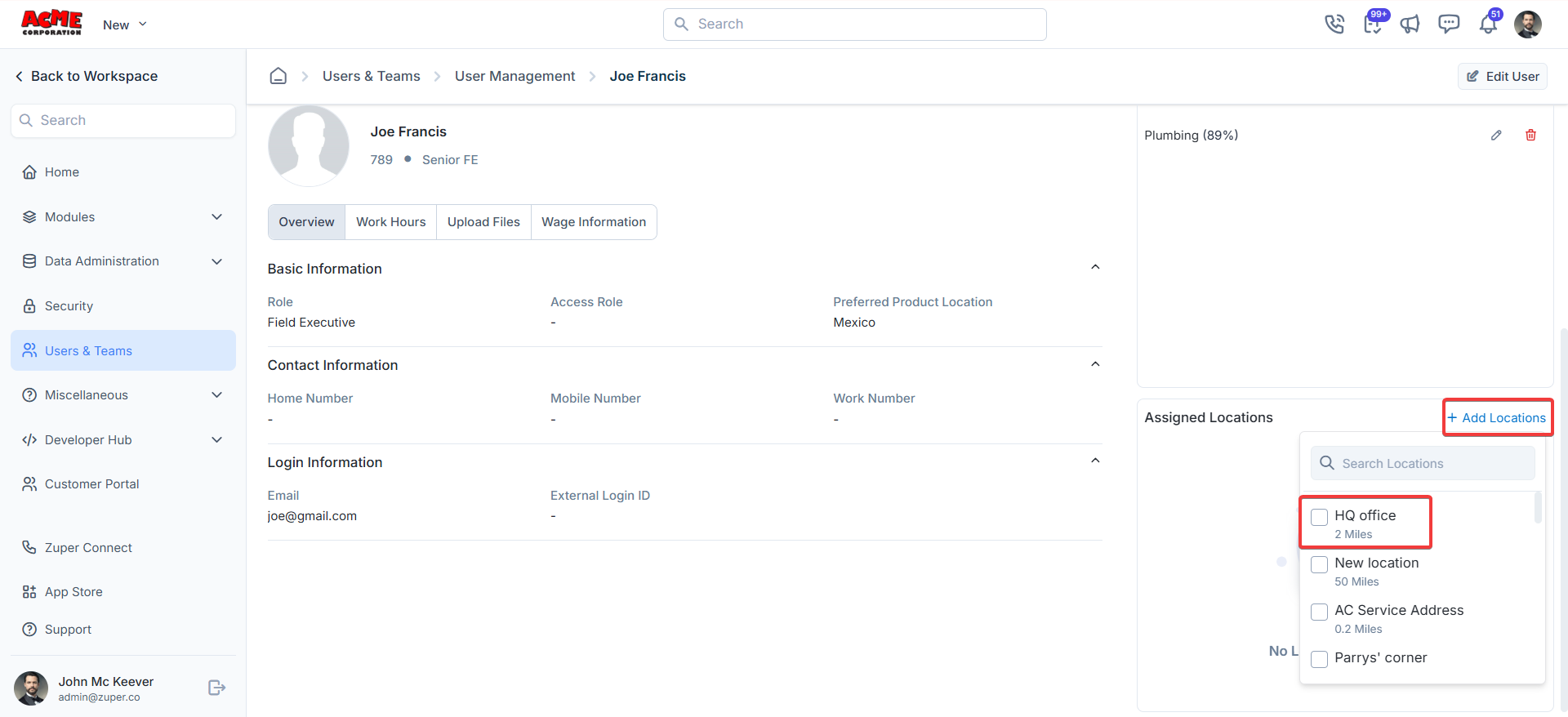 The assigned location created under [Manage Locations](https://docs.zuper.co/Timesheets_Management/Timesheets#manage-locations) will be displayed here.
 **Note**: Field Executives have limited visibility into the Organizations module\
by default — they see only organizations they have created. To expand\
their access, enable **Allow Field Executive to View All Organizations**
in Settings.
See [Managing Organizations](/Client/Organization/Manage_Organization)
for full details on how FE organization access works.
Zuper’s Users and Teams module settings streamline team management, making it easy to configure roles, permissions, and tracking.
**Note**: Field Executives have limited visibility into the Organizations module\
by default — they see only organizations they have created. To expand\
their access, enable **Allow Field Executive to View All Organizations**
in Settings.
See [Managing Organizations](/Client/Organization/Manage_Organization)
for full details on how FE organization access works.
Zuper’s Users and Teams module settings streamline team management, making it easy to configure roles, permissions, and tracking.