> ## Documentation Index
> Fetch the complete documentation index at: https://docs.zuper.co/llms.txt
> Use this file to discover all available pages before exploring further.
# Device Requirements
The Zuper app has specific minimum requirements for Android and iOS devices to ensure smooth performance. Meeting these requirements will enable you to utilize all the app's features and functionalities effectively.
## Android device requirements
Minimum Android version: Android 8 (Oreo)
To check the software version on your Android device, follow these steps:
1. Open "**Settings**" on your mobile and tap "**About device/phone.**"
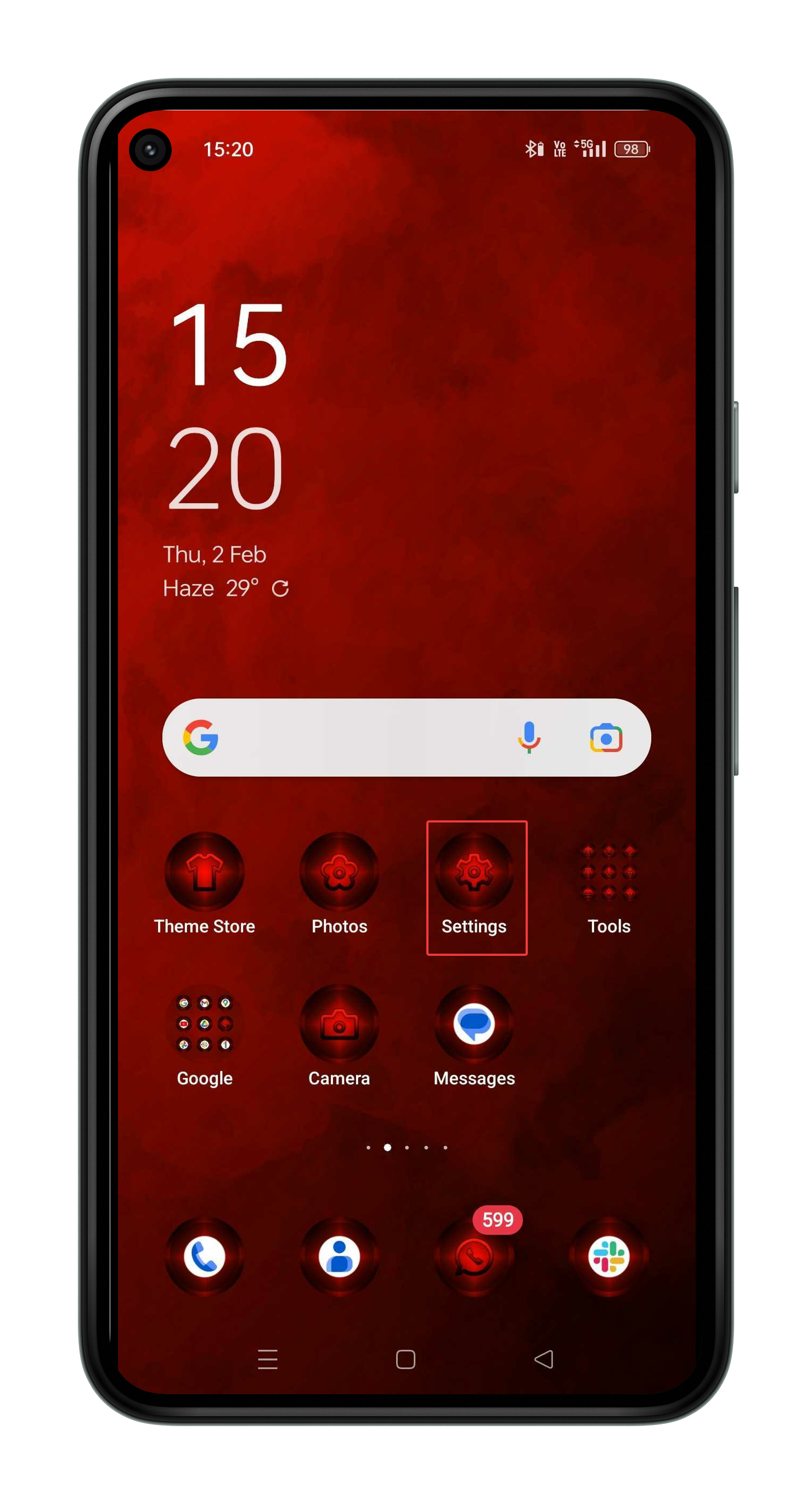 2. Scroll down to view the "**Android Version**." (Ensure it is at least version Android 7 (Nougat) for the best experience).
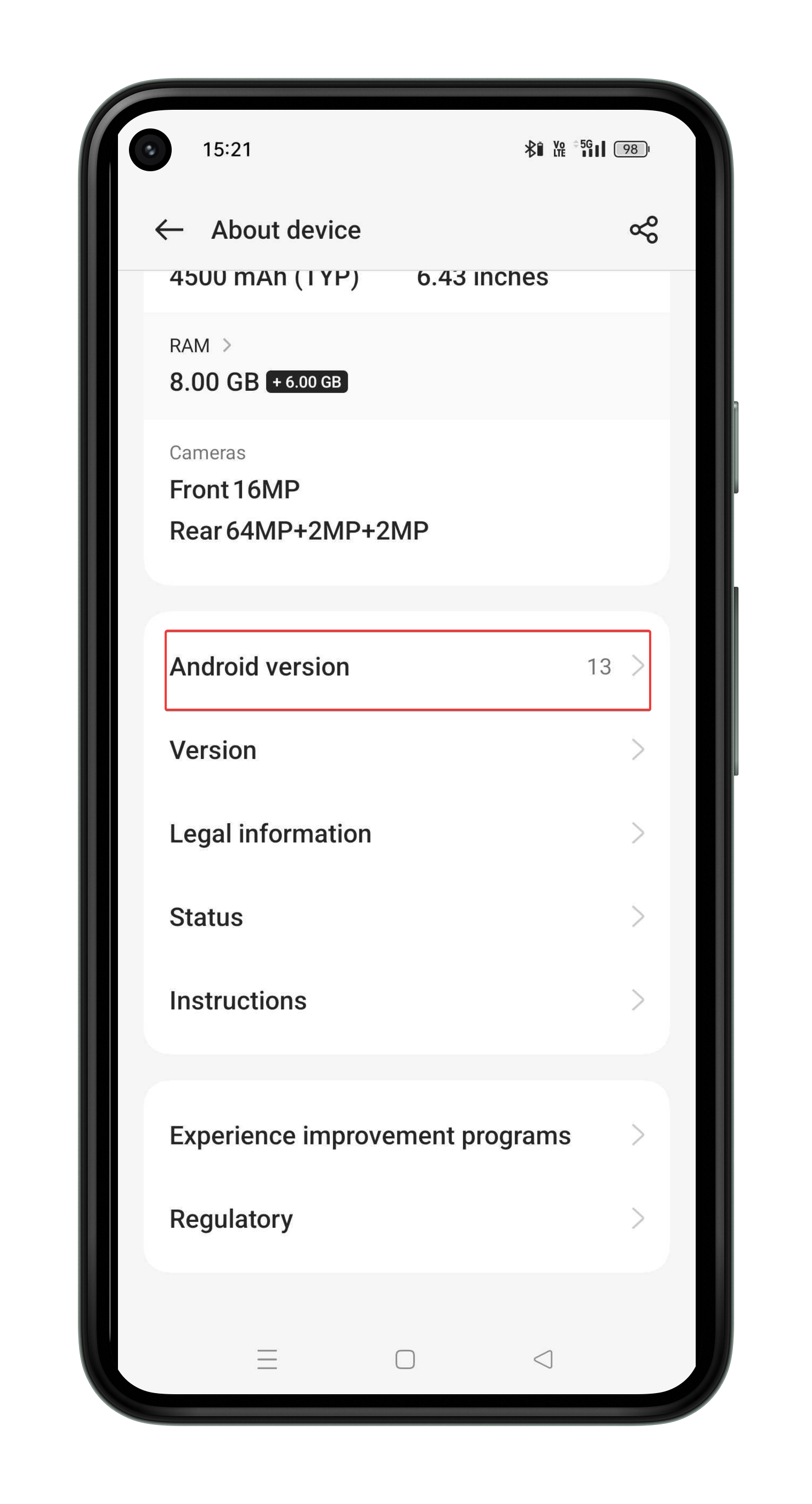 For a seamless Zuper app experience, keep your device updated to the latest Android version.
## iOS device requirements
Minimum iOS version: 15.0 or later
To check the software version on your iOS device, follow these steps:
1. Open "**Settings**" on your iOS mobile and tap "**General**"
For a seamless Zuper app experience, keep your device updated to the latest Android version.
## iOS device requirements
Minimum iOS version: 15.0 or later
To check the software version on your iOS device, follow these steps:
1. Open "**Settings**" on your iOS mobile and tap "**General**"
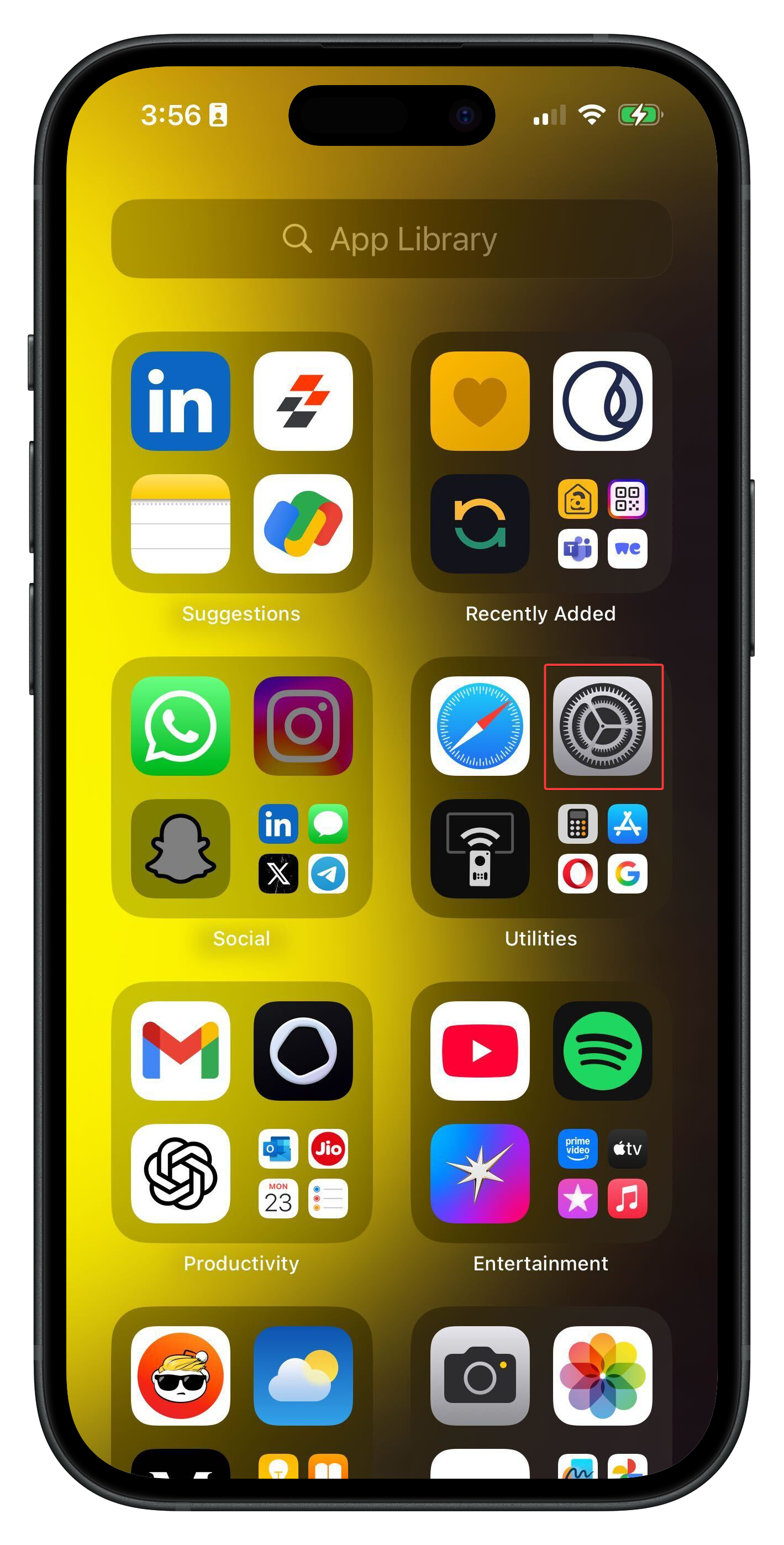 2. Select "**General.**"
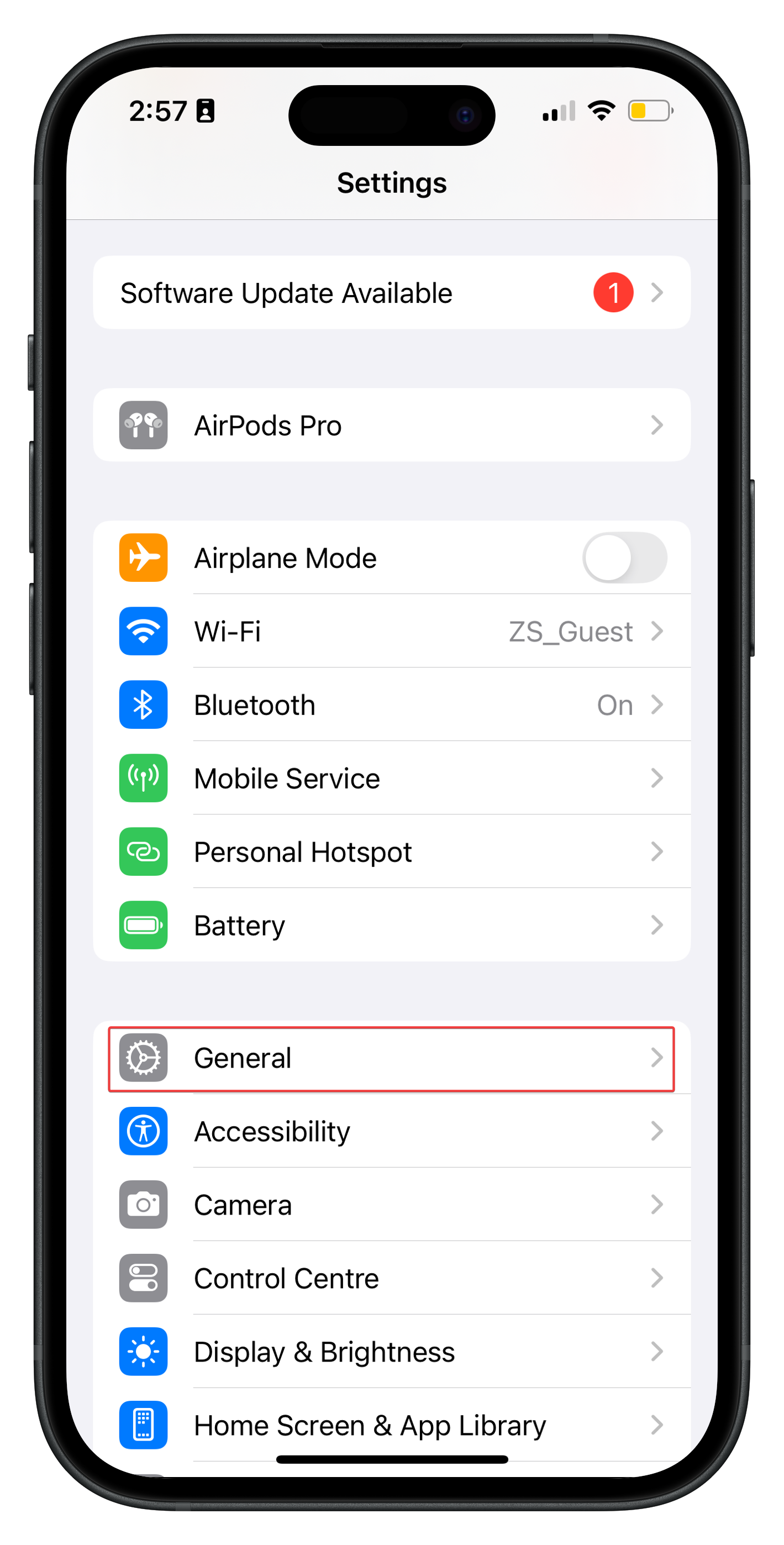 3. Select "**About**" to view the iOS version.
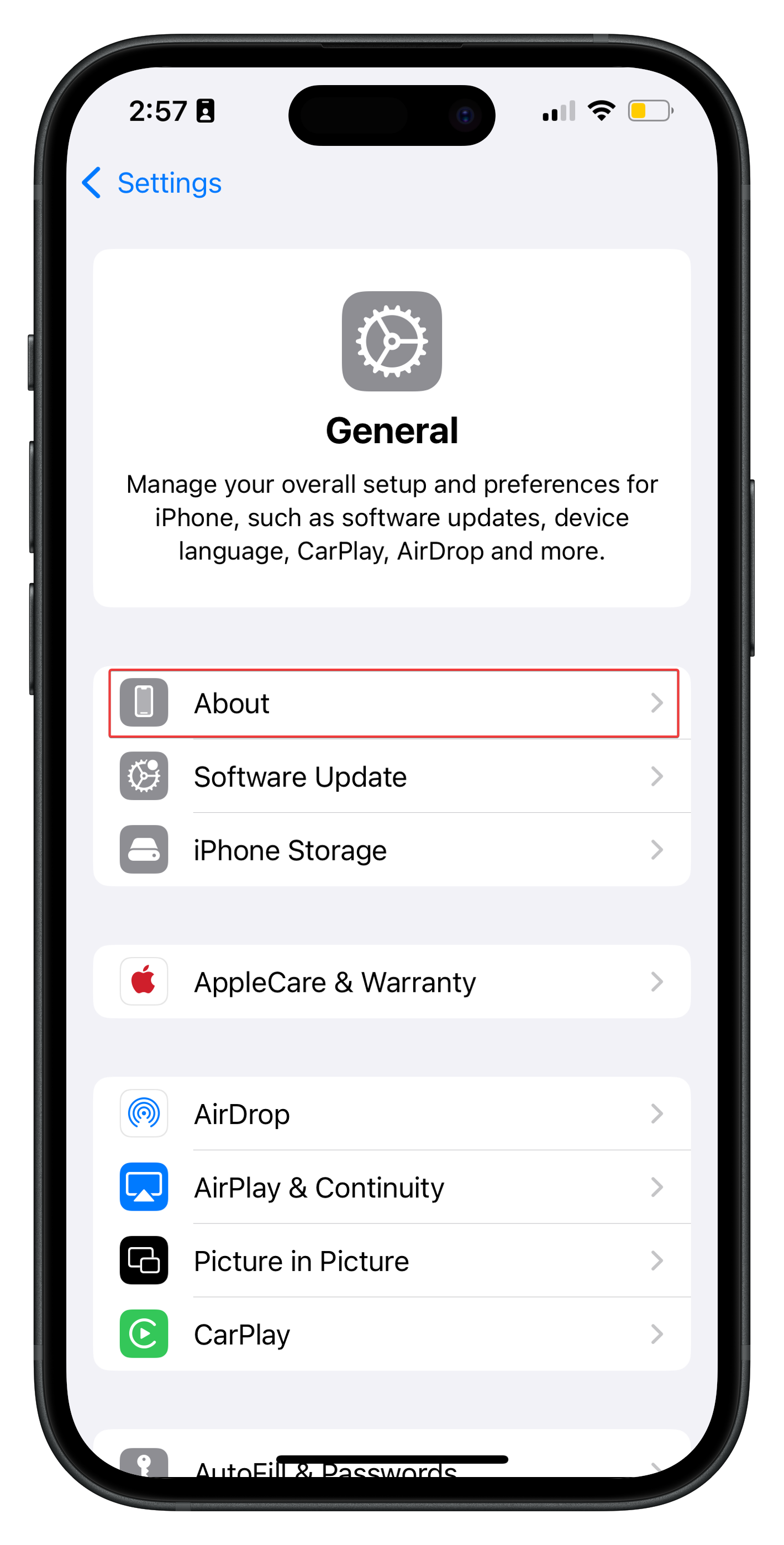 4. Make sure your device runs on 15.0 or later (For an optimal experience, we recommend iOS 16.2 or later).
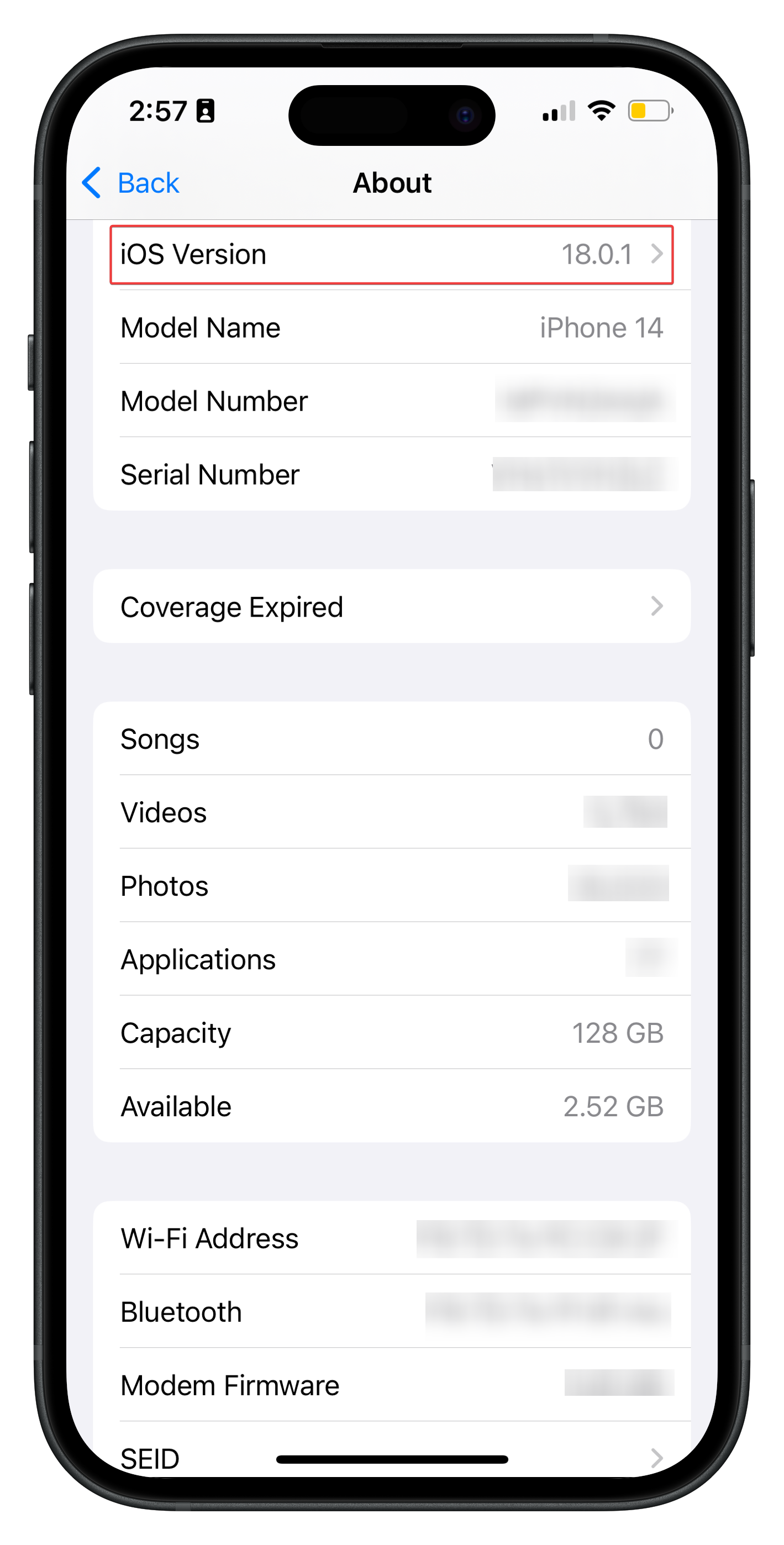 By meeting these requirements, you ensure smooth and efficient use of Zuper app on your mobile device.