Alternative navigation: For quick access to Settings, click your profile icon in the top-right corner and select Settings.
Add your first user
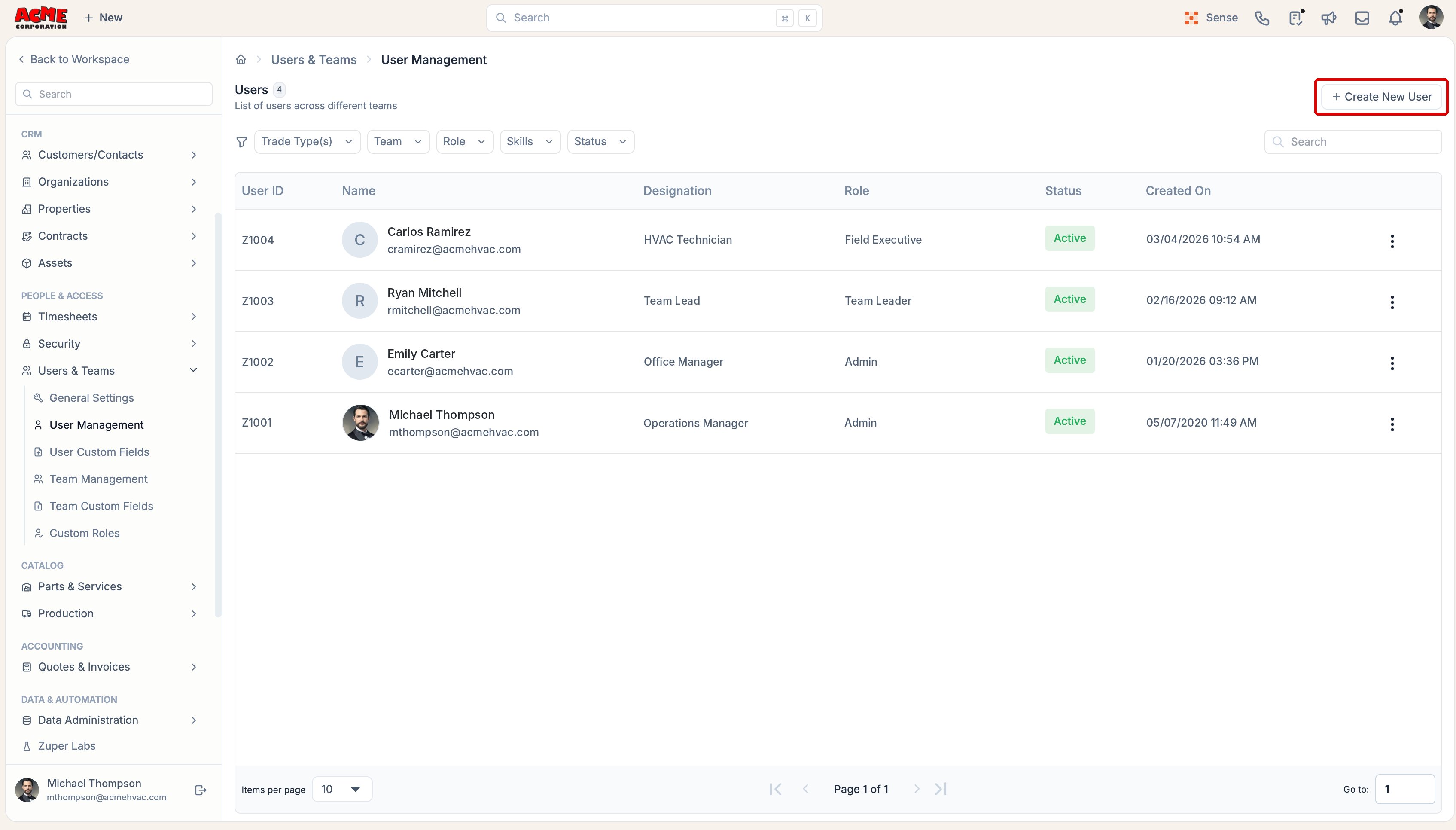
Each person who needs access to Zuper must have a user account. When adding a user, you can assign a role based on their responsibilities. Zuper supports roles such as Admin, Team Leader, and Field Executive, each with different access permissions. To add a user:- From the left navigation menu, click More and select Settings.
- Under Users & Teams.
- Select User Management.
- Click + Create New User to begin adding a user.
Create your first team
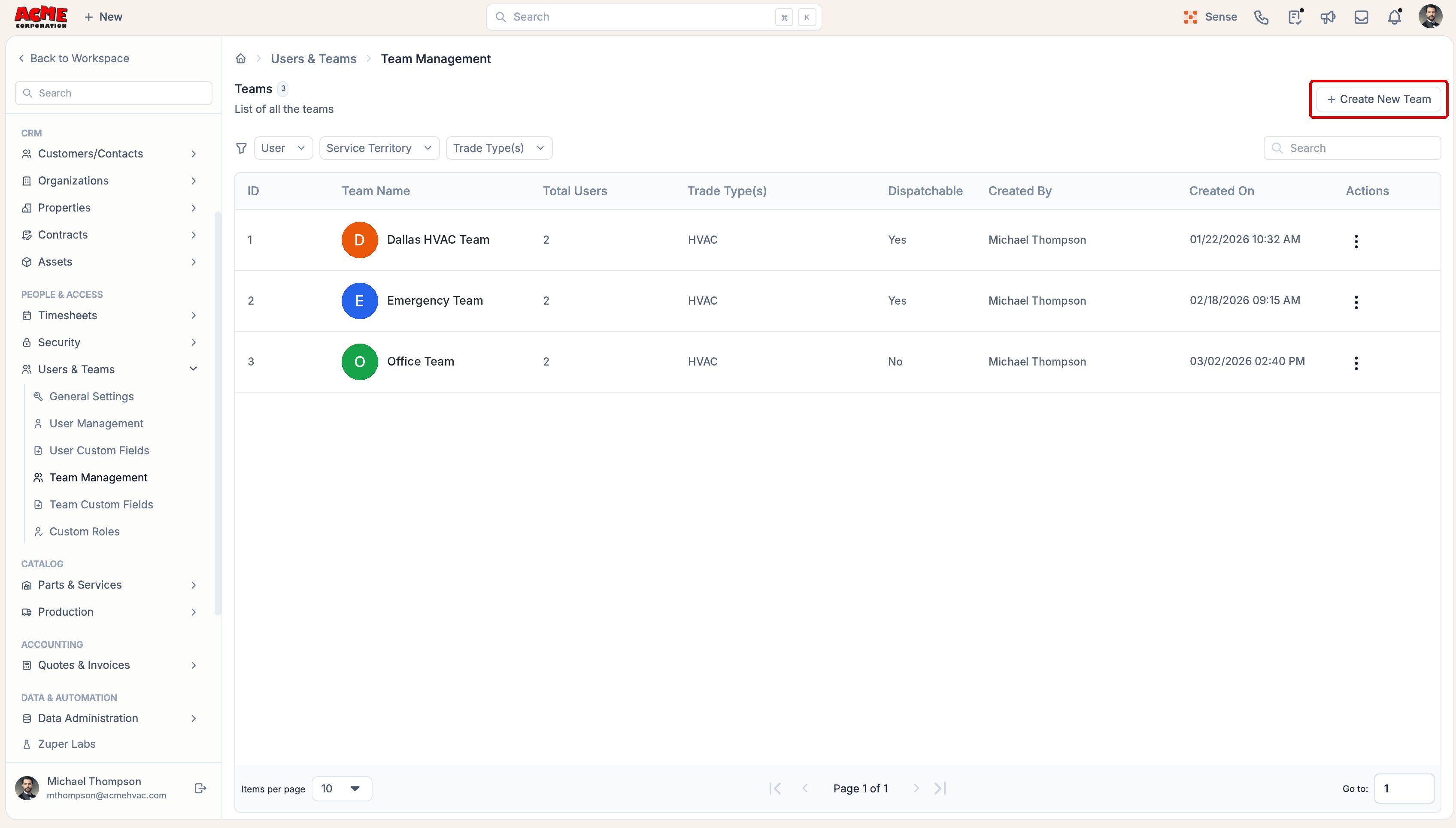
Teams help you organize users and simplify job assignments. You can group team members based on their service location, trade, or specialization. For example, an HVAC business might create separate teams for installations, repairs, and maintenance. To create a team:- From the left navigation menu, click More and select Settings.
- Under People & Access, expand Users & Teams.
- Select Team Management.
- Click + Create New Team to begin setting up a team.